

Prerequisites
Configure NewRelic integration in Backstage
Integrations are configured at the root level ofapp-config.yaml, here’s an example configuration for NewRelic:
Add the NewRelicFactCollector to Soundcheck
First add the package:packages/backend/src/index.ts file:
packages/backend/src/index.ts
Plugin Configuration
Collection of facts is driven by config. To learn more about the config, see the Defining NewRelic Fact Collectors. NewRelic Fact Collector can be configured via YAML or No-Code UI. If you configure it via both YAML and No-Code UI, the configurations will be merged. It’s preferable to choose a single source for the Fact Collectors configuration (either No-Code UI or YAML) to avoid confusing merge results.No-Code UI Configuration Option
- Make sure the prerequisite Configure NewRelic integration in Backstage is completed and NewRelic instance details are configured.
-
To enable the NewRelic Integration, go to
Soundcheck > Integrations > New Relicand click theConfigurebutton. To learn more about the No-Code UI config, see the Configuring a fact collector (integration) via the no-code UI.
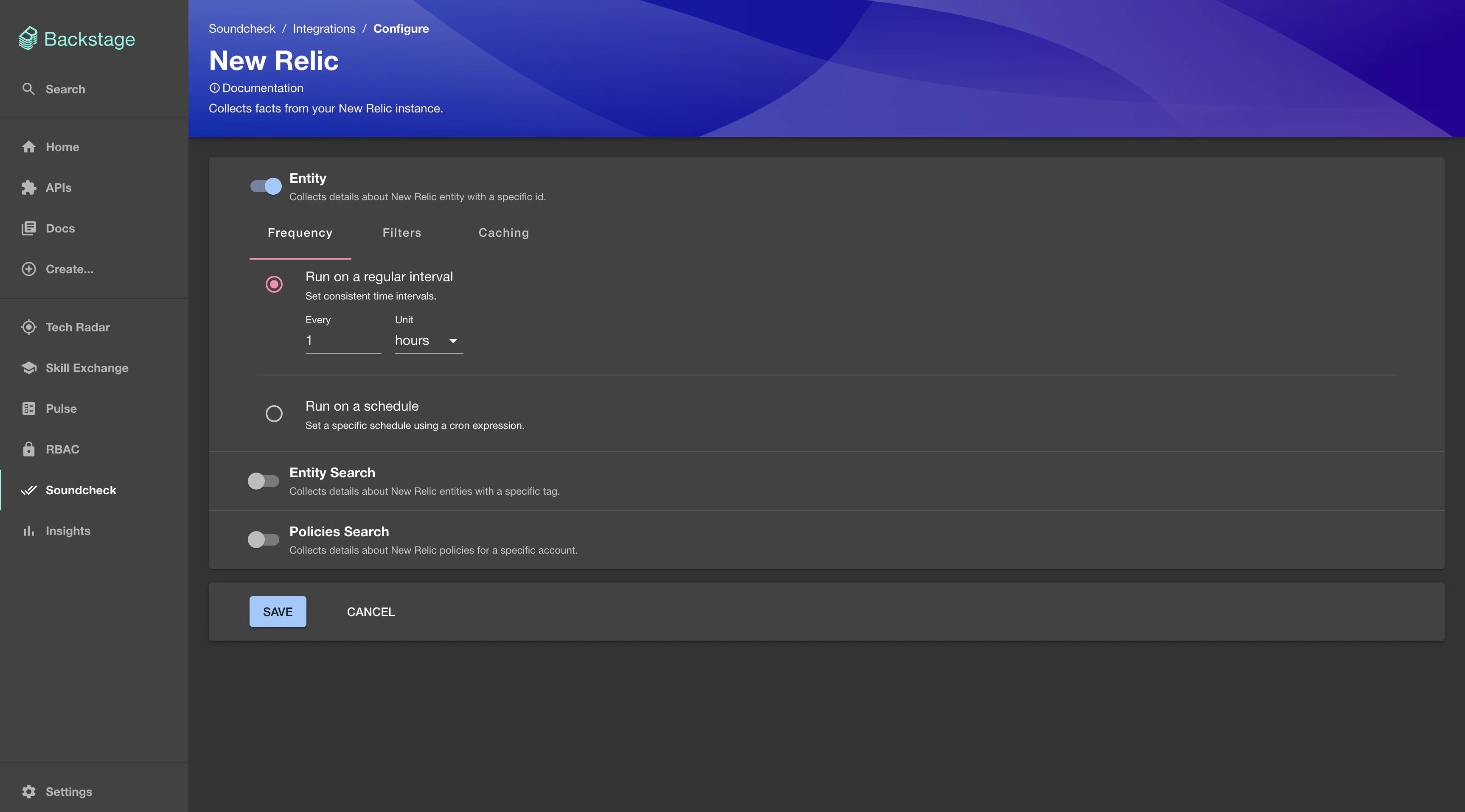
YAML Configuration Option
- Create
newrelic-facts-collectors.yamlin the root of your Backstage repository and fill in all your NewRelic fact collectors. A simple example NewRelic fact collector is listed below.
app-config.yaml files.
- Add a soundcheck collectors field to
app-config.yamland reference the newly creatednewrelic-facts-collectors.yaml
Rate Limiting (Optional)
This fact collector can be rate limited in Soundcheck using the following configuration:Defining NewRelic Fact Collectors
This section describes the data shape and semantics of NewRelic Fact Collectors.Overall Shape Of A NewRelic Fact Collector
The following is an example of a descriptor file for a NewRelic Fact Collector:baseUrl [optional]
The base URL of the NewRelic instance to use. If not provided, the plugin will attempt to use the default URL https://api.newrelic.com.
apiKey [optional]
The NewRelic apiKey to use for authentication.
collects [required]
An array describing which facts to collect and how to collect them. See below for details about the overall shape of a fact collector.
Overall Shape Of A Fact Collector
Each collector supports the fields described below.type [required]
The type of the collector (e.g. entity, entity-search, policies-search).
frequency [optional]
The frequency at which the fact collection should be executed. Possible values are either a cron expression { cron: ... } or HumanDuration.
If provided it overrides the default frequency provided at the top level. If not provided it defaults to the frequency provided at the top level. If neither collector’s frequency nor default frequency is provided the fact will only be collected on demand.
Example:
initialDelay [optional]
The amount of time that should pass before the first invocation happens. Possible values are either a cron expression { cron: ... } or HumanDuration.
Example:
batchSize [optional]
The number of entities to collect facts for at once. Optional, the default value is 1.
Note: Fact collection for a batch of entities is still considered as one hit towards the rate limits
by the Soundcheck Rate Limiting engine, while the actual number of hits
will be equal to the batchSize.
Example:
filter [optional]
A filter specifying which entities to collect the specified facts for. Matches the filter format used by the Catalog API.
If provided it overrides the default filter provided at the top level. If not provided it defaults to the filter provided at the top level. If neither collector’s filter nor default filter is provided the fact will be collected for all entities.
See filters for more details.
exclude [optional]
Entities matching this filter will be skipped during the fact collection process. Can be used in combination with filter. Matches the filter format used by the Catalog API.
cache [optional]
If the collected facts should be cached, and if so for how long. Possible values are either true or false or a nested { duration: HumanDuration } field.
If provided it overrides the default cache config provided at the top level. If not provided it defaults to the cache config provided at the top level. If neither collector’s cache nor default cache config is provided the fact will not be cached.
Example:
Entity configuration
In yourcatalog-info.yaml add the following metadata annotation to allow the plugin to map an entity to an entity in NewRelic.
- To lookup
entity-guidon NewRelic go toAll Entities, click on the entity, then click onMetadataand copy the guid. - To lookup
account-idon NewRelic go toAll Entities, click on the entity, then click onMetadataand copy the account id. Note that one organization can have multiple accounts and therefore multiple ids. Be sure copy the right one for the entity. - To tag an entity on NewRelic to
All Entities, click on the entity, then click onTagsand add a tag. Note tags must be inkey:valueformat, for examplebackstage:service-name.
Collecting Entity Fact
Entity fact contains information about entity from NewRelic NerdGraph Entity API. The query structure is shown below:Shape of A Entity Fact Collector
The shape of a Entity Fact Collector matches the Overall Shape Of A NewRelic Fact Collector (restriction:type: entity).
The following is an example of the Entity Fact Collector config:
Shape of A Entity Fact
The shape of a Entity Fact is based on the Fact Schema. For a description of the data collected regarding entities, refer to the NerdGraph query. The following is an example of the collected Entity Fact:Shape of A Entity Fact Check
The shape of an Entity Fact Check matches the Shape of a Fact Check. The following is an example of the Entity fact checks:Collecting Entity Search Fact
An entity search fact contains information about entity search from NewRelic NerdGraph Entity Search API. The query structure is shown below:Shape of A Entity Search Fact Collector
The shape of an Entity Search Fact Collector matches the Overall Shape Of A NewRelic Fact Collector (restriction:type: entity-search).
The following is an example of the Entity Search Fact Collector config:
Shape of A Entity Search Fact
The shape of a Entity Search Fact is based on the Fact Schema. For a description of the data collected regarding entity search, refer to the NerdGraph query. The following is an example of the collected Entity Search Fact:Shape of A Entity Search Fact Check
The shape of a Entity Search Fact Check matches the Shape of a Fact Check. The following is an example of the Entity Search fact checks:Collecting Policies Search Fact
A policies search fact contains information about policies search from NewRelic NerdGraph Policies Search API. The query structure is shown below:Shape of A Policies Search Fact Collector
The shape of a Policies Search Fact Collector matches the Overall Shape Of A NewRelic Fact Collector (restriction:type: policies-search).
The following is an example of the Policies Search Fact Collector config: