Configure the Soundcheck Entity Card to display track badge levels and technical health summaries on a Backstage entity overview page.
The Soundcheck Entity Card is an element of the Soundcheck plugin that provides a quick view
of an entity’s technical health as defined by the Tracks that apply to the entity. The
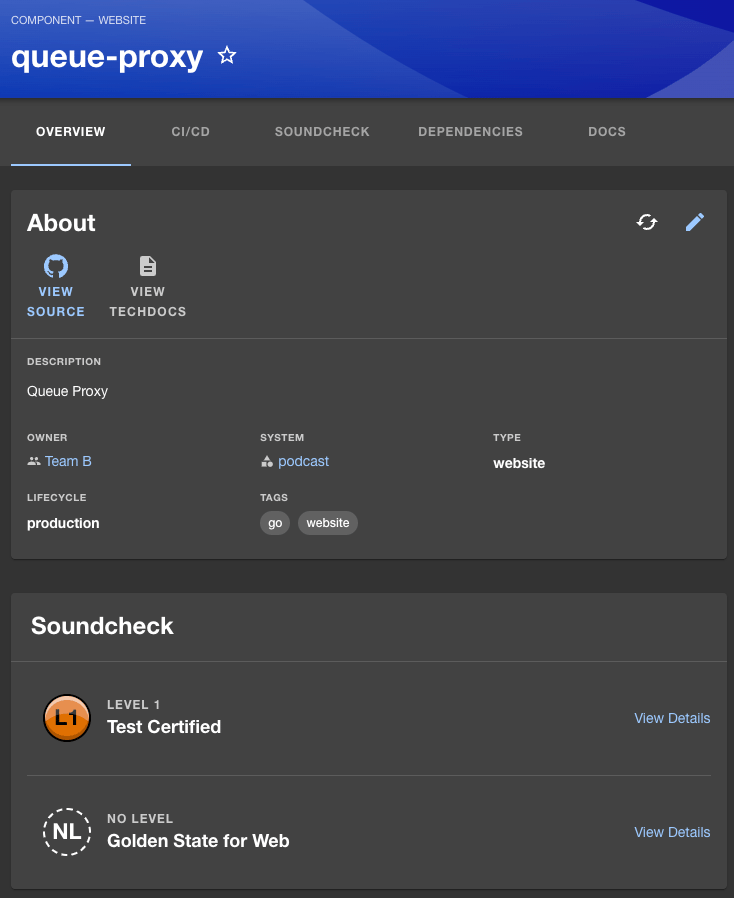
Entity Card is found on the entity’s overview page in Backstage:
In the sample image above, the Soundcheck Entity Card shows the sample ‘Queue-Proxy’ entity’s badge
levels for the ‘Golden State for Web’ track and the ‘Test Certified’ track. Clicking on a Track’s
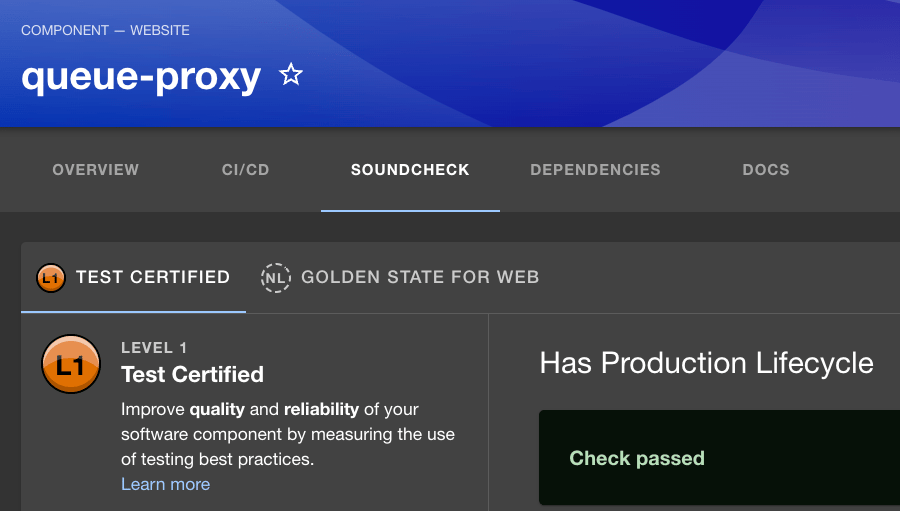
‘View Details’ link will take you to the entity’s Soundcheck tab with the corresponding
track tab selected:
Note: The Soundcheck Tab must be setup for the Soundcheck Entity Card to be displayed.For more information see the Soundcheck
Entity Tab
section of this guide.
Assistant
Responses are generated using AI and may contain mistakes.