

Creating an Exemption
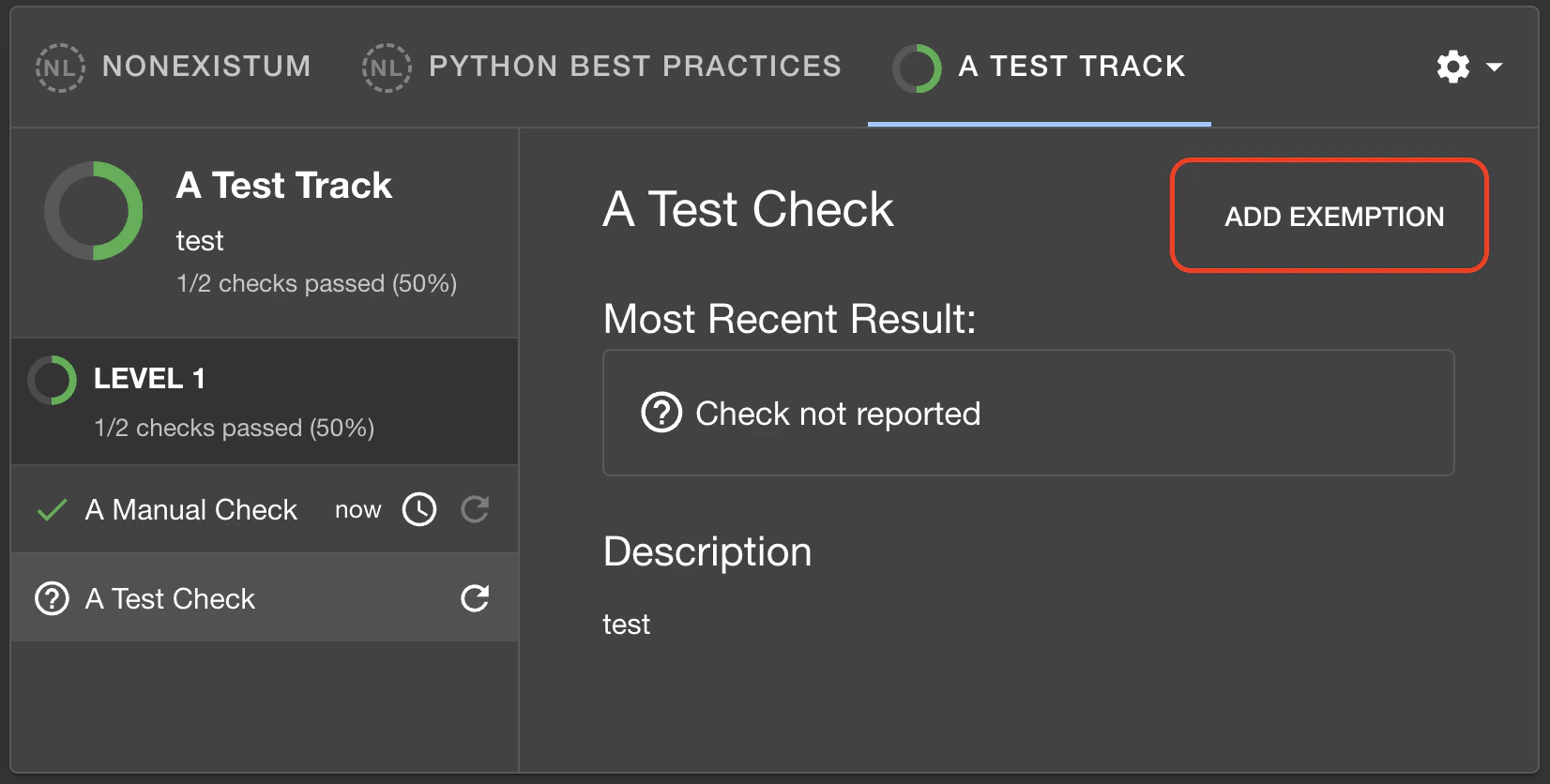
To exempt a component from a check, navigate to the entity’s Soundcheck tab, select the track that contains the check from which you wish to exempt the component, and click on the check to view its details. In the details pane, click on theAdd Exemption button in the top-right corner of the pane
(outlined in the image below):
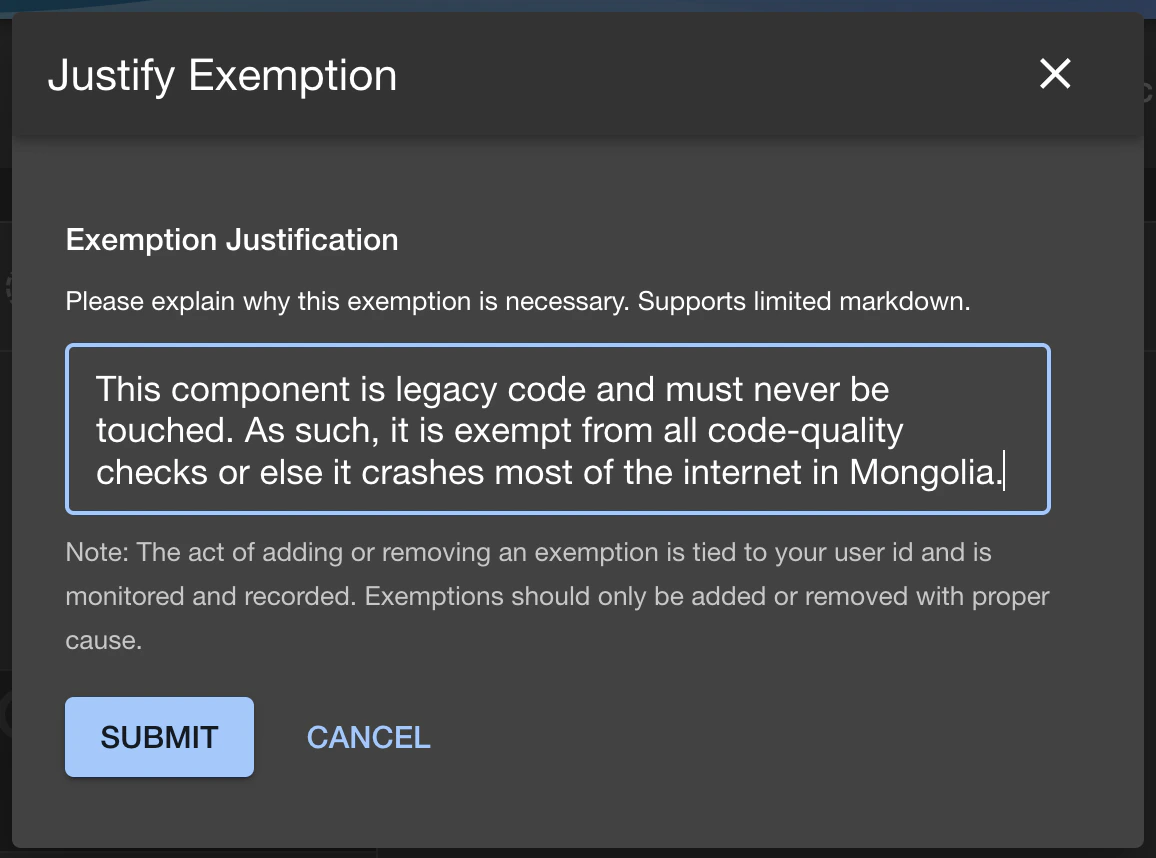
Show Exempt Checks:

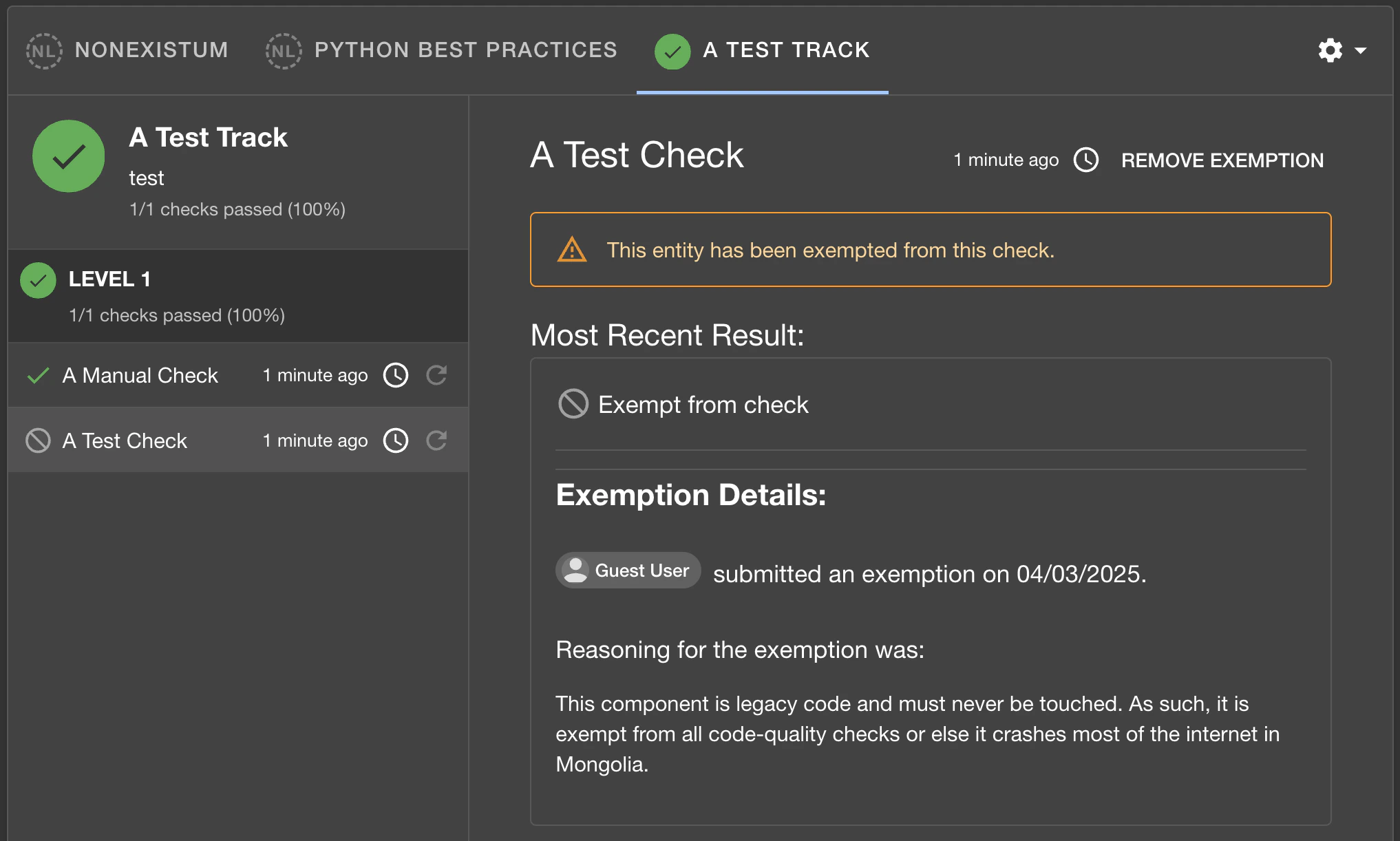
Removing an Exemption
Removing an exemption permanently deletes the exemption record. The component will no longer be considered exempt and the check will begin evaluating against it again. Exemptions can be removed from the UI or via the REST API. If you want to disable an exemption while preserving an audit trail and the ability to re-activate it later, use Revoke instead (see below).Revoking an Exemption
Revoking an exemption disables it without permanently deleting it. The revoked exemption remains visible in the exemptions table with a “Revoked” status, and the full audit trail (who revoked it, when, and why) is preserved. Exemptions can be revoked from the UI or via the REST API. A revoked exemption prevents a new exemption from being created for the same check and component until it is restored. The revocation dialog requires a reason explaining why the exemption is being revoked.Restoring a Revoked Exemption
Restoring a revoked exemption re-activates it, returning the component to its exempted state. Exemptions can be restored from the UI or via the REST API.Permissions
The exemption functionality uses thesoundcheck.entity.exemptions.update permission for all
exemption operations — creating, removing, revoking, and restoring. This is a resource permission,
and so can have a policy set based on the component for which an exemption is being managed.
A common use case may be “allow only the owner of the component to modify exemptions for it”.
By default, this permission is granted by RBAC unless a policy has been set to deny it.