

catalog-info.yaml files are required.
Enabling auto ingestion
To enable auto ingestion, navigate to Catalog Settings > Settings and turn on the Automatic repositories sync toggle.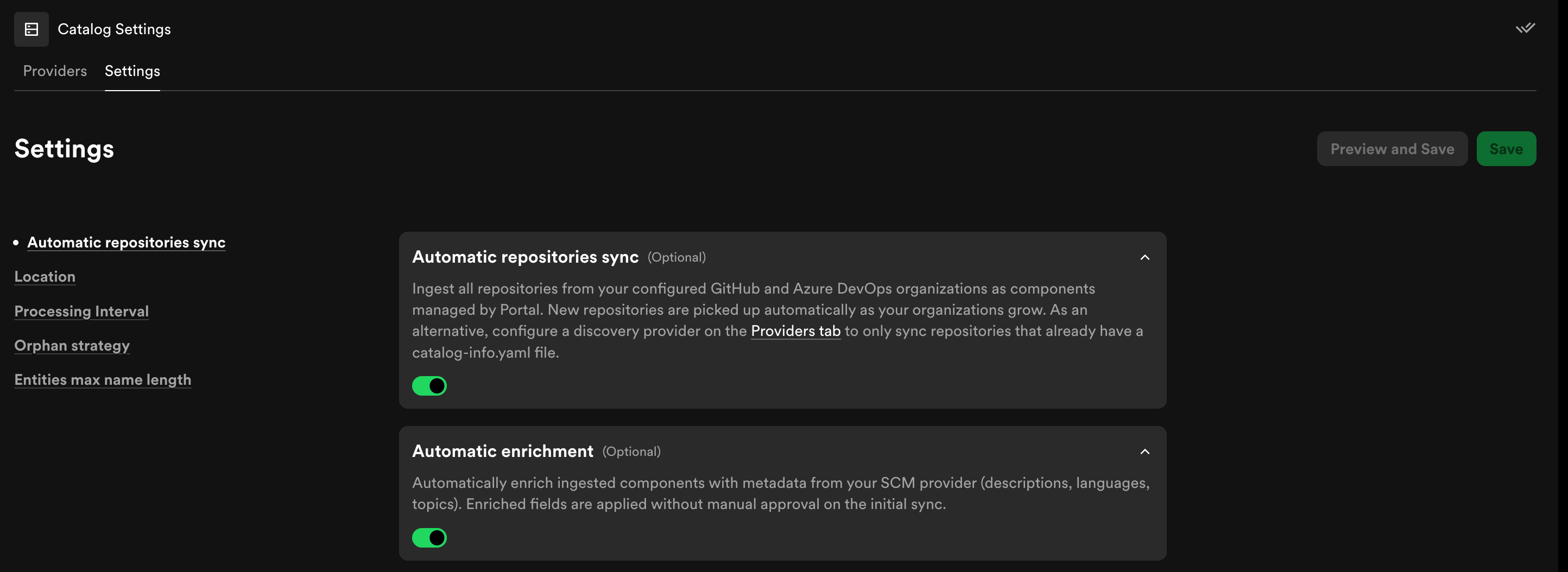
The Catalog Settings page with the Automatic repositories sync toggle.
type, lifecycle, and owner is inferred from your repositories and applied within minutes. Otherwise, these fields default to unknown and can be updated manually.
If your repositories already contain
catalog-info.yaml files and you’d
prefer to manage entity metadata as code, configure a discovery provider on
the Providers tab instead. See Ingesting entities from
GitHub,
Azure DevOps
discovery,
or GitLab discovery for
details.Syncing
With auto ingestion enabled, new repositories created in your connected organizations are synced into the catalog in near real-time (typically within minutes). While syncing is in progress, a banner appears at the top of the catalog page to let you know.
The sync status banner shown during an active ingestion.
Automatic enrichment
Automatic enrichment is enabled by default when you turn on auto ingestion. It analyzes your repositories and populates entity metadata that would otherwise remainunknown.
Enrichment covers the following fields:
Enriched fields are applied automatically on the initial sync without requiring manual approval. Subsequent enrichment sweeps run periodically to catch newly added or updated repositories.
If you want to disable automatic enrichment while keeping auto ingestion active, uncheck the Automatic enrichment option in Catalog Settings > Settings. You can still update entity metadata manually.
Turning off auto ingestion
You can turn off auto ingestion at any time from Catalog Settings > Settings by disabling the Automatic repositories sync toggle. Turning it off immediately stops new repositories from being ingested. When you disable auto ingestion, you have the option to either delete all auto-ingested entities from your catalog or keep them. Entities you choose to keep remain in the catalog and can be managed manually going forward. If you change your mind, you can re-enable auto ingestion at any time by turning the toggle back on.Using auto ingestion with a discovery provider
If you have both auto ingestion enabled and a discovery provider configured (for example, a GitHub, Azure DevOps, or GitLab discovery provider), repositories that contain acatalog-info.yaml file take precedence. These entities are managed by the YAML file and the discovery provider — not by Portal — and will not be affected by auto ingestion.
Auto ingestion only creates Portal-managed entities for repositories that do not already have a catalog-info.yaml file. This means you can use both approaches side by side: teams that prefer managing entity metadata as code continue to do so, while the remaining repositories are automatically ingested and managed by Portal.