

What is Data Lineage?
Data Lineage is a map of how data flows through your systems: where it originates, what transforms it, and what depends on it downstream. In the context of Portal, lineage can provide visibility into the relationships between the workflow and dataset entities in your catalog.Why Data Lineage?
At a high level, lineage can answer questions like:- “What required ancillary data must flow for this dataset to be fresh today?”
- “If I deprecate this dataset, what will it break downstream?”
- “Which workflow produces this dataset and where did it read from?”
- “If my dataset is ‘late’, where exactly is the blockage upstream?”
Prerequisites
Before you begin, ensure you have the following:- A Portal instance URL — e.g.
https://<YOUR INSTANCE>.spotifyportal.com - An External Access token — Follow the Create an API key guide to generate a static token under Admin → App Settings → External access. There is no need to provide access to any specific plugin or RBAC permission.
- Datasets ingested into the catalog (optional but recommended) — If you want lineage events to link to catalog entities, ensure your datasets have been ingested via one of the Data Experience warehouse integrations. Lineage events will still be accepted without this, but dataset nodes will appear as “unlinked” in the graph.
Quick Setup
-
Using the External Access token from Prerequisites, set the following environment variables:
-
Try a simple curl command:
-
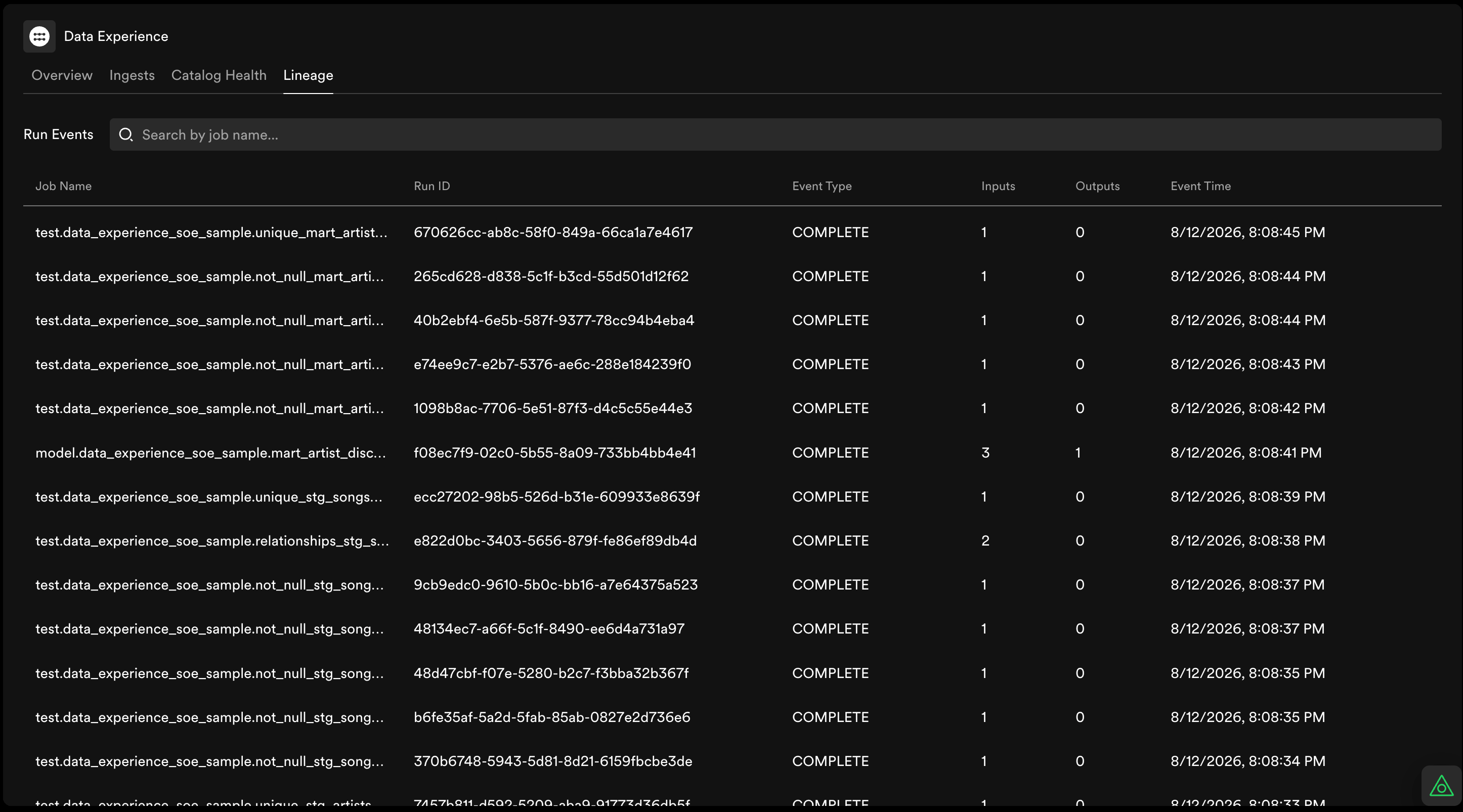
If the curl response status code is 201, validate the event was received by visiting:
https://<YOUR INSTANCE>.spotifyportal.com/data-overview/lineage
How does it work?
Portal implements the OpenLineage specification to collect and analyze lineage. Lineage run events can be consumed from any orchestrator that is capable of emitting HTTP requests, including Apache Airflow, Apache Spark, Apache Flink, dbt, Dagster, Feast, and many more. This entails using bipartite Graph conventions and standardized node ID formats for representing dataset-workflow relationships through directed acyclic graphs (DAGs). In practice, this means when your orchestrator runs a job, it sends an event to Portal describing which datasets it read from and wrote to. Portal uses these events to build a graph you can explore on any dataset or workflow entity page.OpenLineage Run Events
Portal’s OpenLineage endpoint accepts one type of event: the RunEvent.
Event type
Event type informs the state of the execution. Each batch job should ideally emit a RunEvent withSTART state when it starts, followed by one of the terminal events when it finishes the processing for any reason:

RUNNING state to report things like “changes in the run or emit performance metrics”.

Event Time
Since the only event that is emitted is called a RunEvent, it is important to report when each phase of the execution takes place. Timestamps must be in RFC 3339 / ISO 8601 format with an explicit UTC offset (Z or +HH:MM), e.g. 2026-08-12T13:16:00Z
Namespace
Consult the OpenLineage Naming Conventions for which value to use according to your data source.Mapping lineage to catalog entities
The lineage graph is bipartite: edges always connect a workflow to a dataset, never workflow-to-workflow or dataset-to-dataset. In your RunEvent,job becomes a Workflow node, while each entry in inputs and outputs becomes a Dataset node.
Portal automatically links lineage nodes to catalog entities when the namespace and name in your RunEvent match a dataset that has already been ingested via a Data Experience warehouse integration. Linked datasets show full lineage on their entity page under the Lineage tab.
If a referenced dataset has not yet been ingested into the catalog, the node still appears in the graph but is shown as “unlinked” with dimmed styling. Ingesting the dataset later will automatically establish that link.
Dataset and job naming conventions
For lineage events to link to your cataloged datasets, thenamespace and name values in your RunEvent must match what Portal has on file. The key fields are:
The most common reason for missing lineage is a namespace or name mismatch — for example, publishing
bigquery with name myproject.raw.orders when the catalog has myproject.raw.orders_v2. Check the Dataset entity page in Portal to confirm the expected values.
Consult the OpenLineage Naming Conventions for general rules on deriving namespace and name values for each data source type.
Integration with your orchestrator
For production setups, you will typically use your orchestrator’s OpenLineage client rather than manual curl commands. Any orchestrator capable of emitting HTTP requests can push OpenLineage Run Events to Portal’sPOST /api/data-registry/lineage endpoint. The environment variables from Quick Setup (OPENLINEAGE_URL, OPENLINEAGE_ENDPOINT, OPENLINEAGE_API_KEY) apply to most integrations. Requests must provide the credential within the Authorization: Bearer <token> header.
If you own a system that can utilize one of the out-of-the-box OpenLineage integrations for reporting lineage, consider using them before trying to directly interact with the API. See the subsections below for framework-specific guidance.
dbt
dbt has first-class OpenLineage support. See the OpenLineage dbt integration docs for setup instructions. Point the integration at Portal by settingOPENLINEAGE_URL, OPENLINEAGE_ENDPOINT, and OPENLINEAGE_API_KEY as described in Quick Setup.
Apache Airflow
Airflow 2.7+ includes a native OpenLineage provider. See the Airflow OpenLineage provider docs for setup instructions. Point the integration at Portal by settingOPENLINEAGE_URL, OPENLINEAGE_ENDPOINT, and OPENLINEAGE_API_KEY as described in Quick Setup.
Viewing Data Lineage in Portal
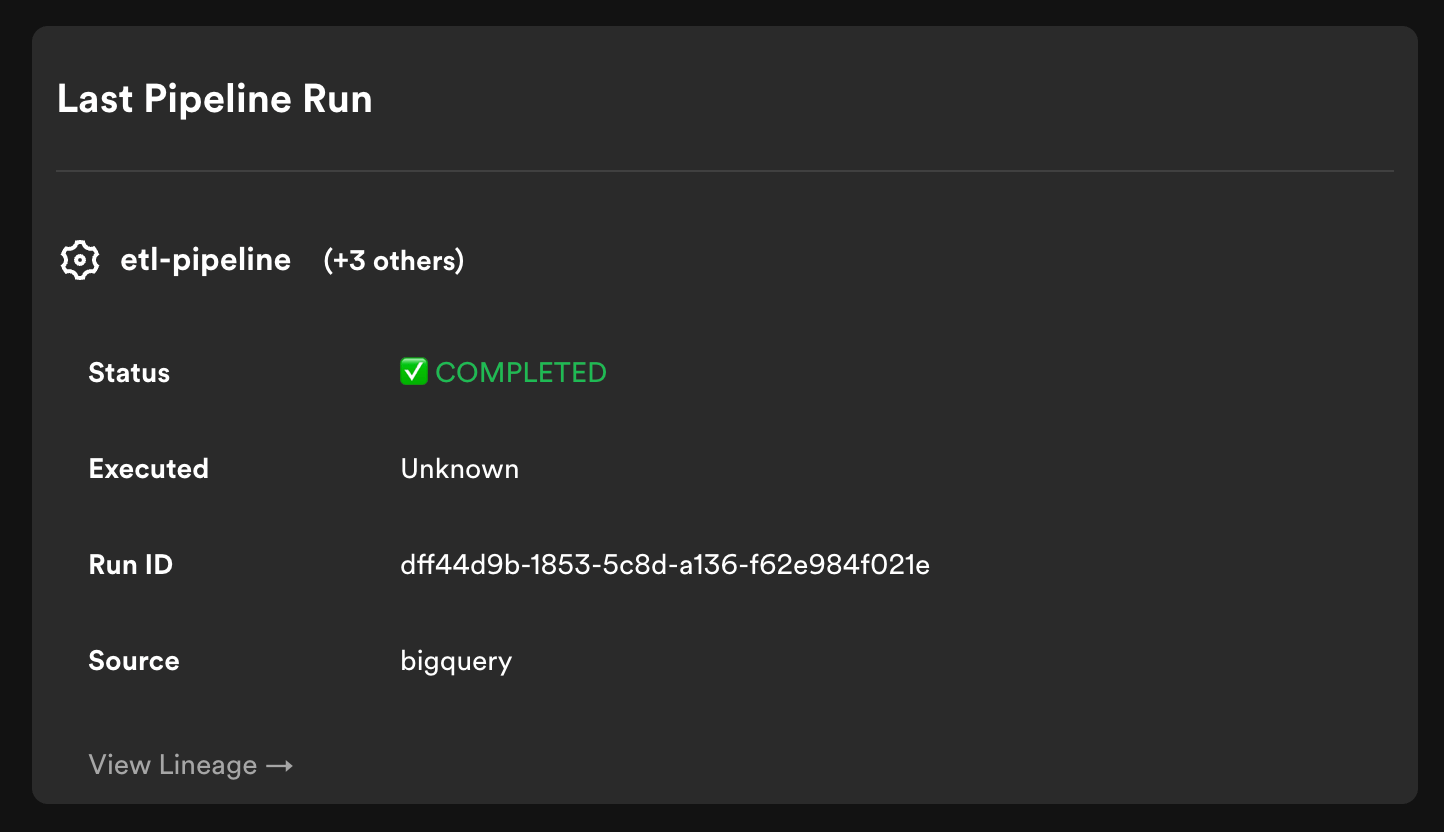
You can visualise the Lineage of any dataset on Portal, under the Lineage tab on the Catalog dataset entity page. By default it displays upstream only and a depth of 1.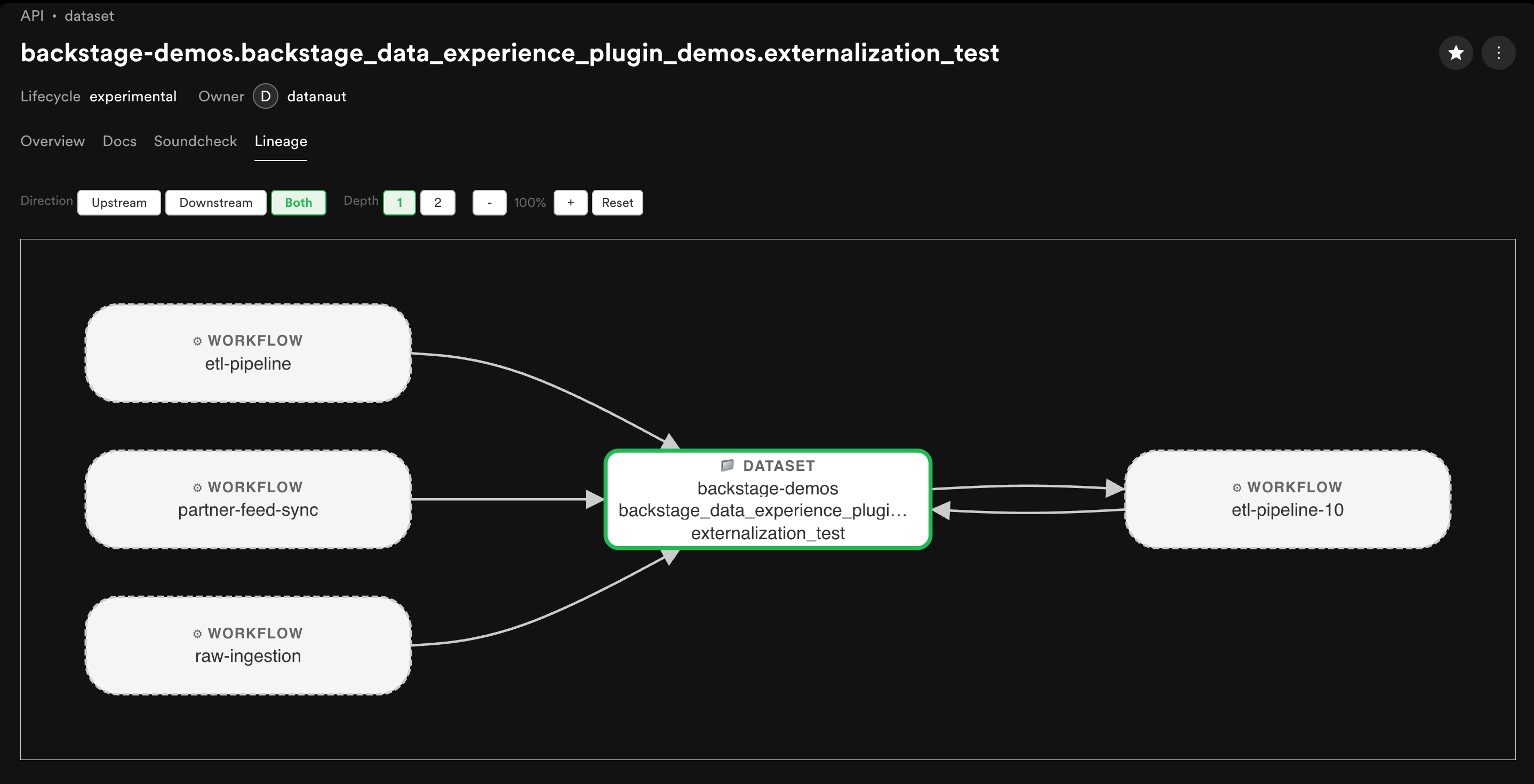
Troubleshooting
This section covers common issues when sending lineage events or viewing the graph. When debugging, check these areas first:- The HTTP response code from
POST /api/data-registry/lineage— a non-201 response indicates the event was rejected. - Your token configuration — ensure the External Access token is valid and included in the
Authorization: Bearer <token>header. - Namespace and name matching — verify that the namespace and name values in your RunEvent match exactly what is registered in the catalog.
Authentication errors (401/403)
Requests must include anAuthorization: Bearer <token> header with a valid External Access token. See the Create an API key guide for how to generate one under Admin → App Settings → External access.
If you receive a 401 or 403 response, check the following:
- Missing or invalid Bearer token: Ensure the
Authorization: Bearer <token>header is present and the token value is correct. - Token not configured: Verify that the token has been saved under Admin → App Settings → External access.
- Expired or rotated token: If the token was recently rotated, ensure you are using the new value.
Malformed or rejected events
If thePOST /api/data-registry/lineage endpoint returns a non-201 response, the event was rejected. A 400 Bad Request response includes a detailed error message, e.g. Invalid OpenLineage RunEvent: ....
Common causes:
- Invalid JSON: The request body is not valid JSON.
- Missing required fields: The following fields are required:
eventType,eventTime,run(withrunId),job(withnamespaceandname),producer, andschemaURL. - Invalid
eventType: Must be one ofSTART,RUNNING,COMPLETE,ABORT,FAIL, orOTHER. - Invalid
eventTime: Must be an ISO-8601 timestamp including timezone offset, e.g."2026-08-03T19:40:00.000Z". - Wrong
schemaURL: Should behttps://openlineage.io/spec/2-0-2/OpenLineage.json.
201 Created response returns:
Lineage not appearing in the graph
If your events are accepted (201 response) but the lineage graph is empty or incomplete, the most common causes are:- Namespace/name mismatch: The most common reason for missing lineage is a mismatch between the namespace or name in your RunEvent and what is registered in the catalog. Your workflow might publish
bq://project/dataset/tablebut your catalog dataset is registered with a different URI. Verify the values match exactly against the Dataset entity page in Portal. - Datasets not registered in the catalog: Unregistered datasets still appear in the graph but as dimmed, unlinked nodes with no entity page link. Ingest them via a Data Experience warehouse integration to get full lineage on the entity page.
- Upstream datasets not registered: Unregistered upstreams also render as unlinked nodes. Check with the owners of your upstream data to verify that their data has been ingested.
- Only
STARTevent sent: If you only send aSTARTevent without a terminal event (COMPLETE,FAIL, orABORT), the lineage graph may not update fully. Ensure each run emits both aSTARTand a terminal event. - Wrong Portal instance: Verify that
OPENLINEAGE_URLpoints to the correct Portal instance where your datasets are cataloged. - Unlinked nodes: When Portal cannot reconcile a dataset node against the Data Registry, the node is still created but with
dataset_id: null. These unlinked nodes are kept in the graph to avoid creating holes when traversing, but appear with dimmed styling in the UI. A notification is sent to the Portal instance admin when unlinked events are received.
Next Steps
- Data Experience Overview — Get started with the Data Experience plugin
- Create an API key — Generate an External Access token for authenticating lineage events
- OpenLineage Specification — Learn about the OpenLineage object model, run cycle, and facets
- OpenLineage Integrations — Out-of-the-box integrations for Airflow, Spark, dbt, Dagster, Flink, and more
- Ingest warehouse datasets — Connect your data warehouses via the BigQuery, Snowflake, Redshift, or Databricks integrations so that lineage events link to catalog entities