

Configuration & Authentication
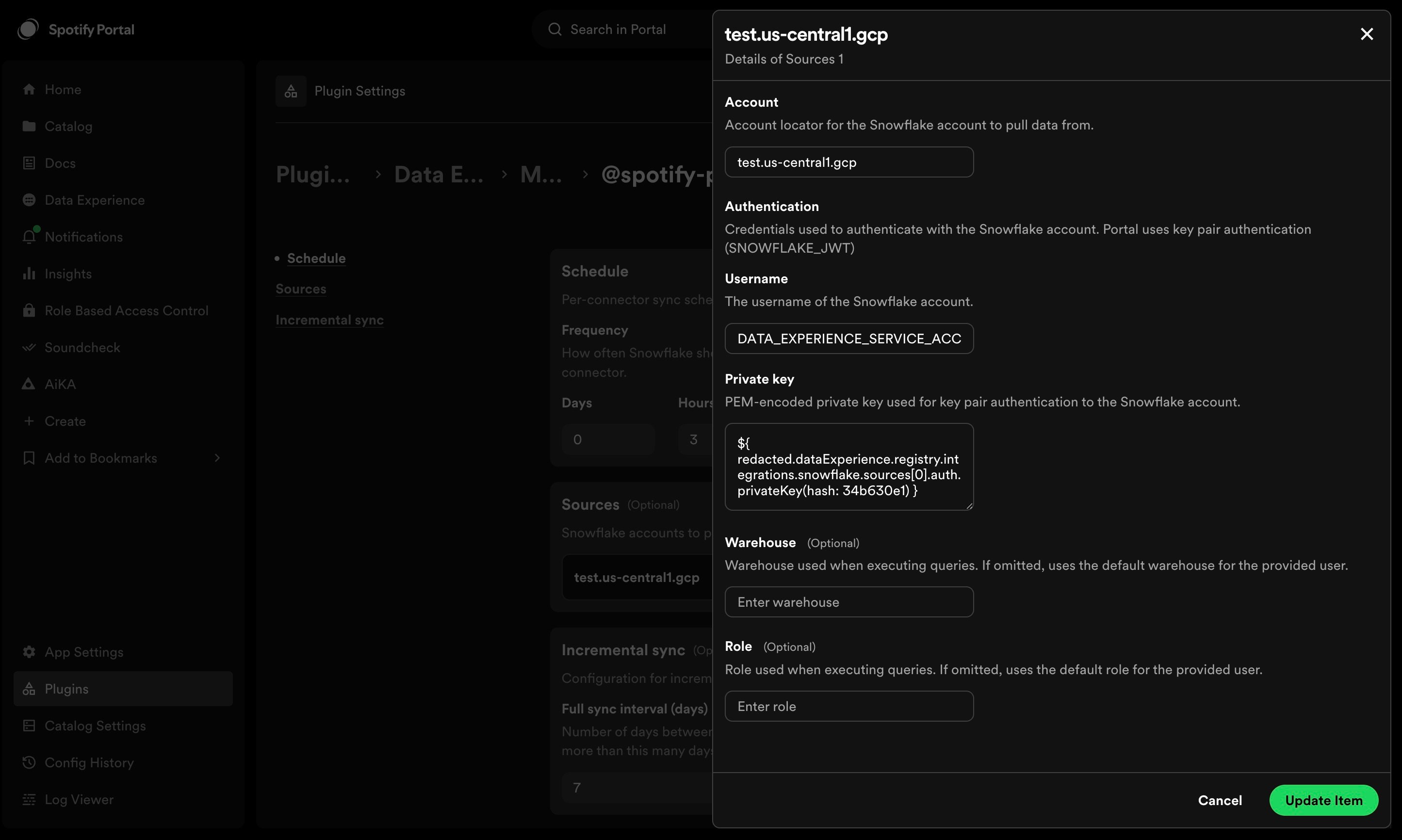
To configure this module, list all the Snowflake accounts you want to collect metadata from, using their format 2 account identifiers. For each account included, every Table within that account will be ingested as a dataset within the registry. Within each account block, credentials must also be provided. Currently, of Snowflake’s available authentication options, the key pair set-up is supported, so the authenticator is set toSNOWFLAKE_JWT automatically. Be sure to follow the instructions to assign the public key to a Snowflake user.
Provide the Username of the Snowflake user Backstage will connect with, along with that user’s PEM-encoded Private key.
Roles
Users in Snowflake can have multiple roles, but the default role for the user will be the one used during all queries to Snowflake. This can be overridden using the optional role key to the config underneath the relevant account. Note that the role selection will affect which tables are ingested. Tables with a higher level role in the role hierarchy than the one used in the connection won’t appear.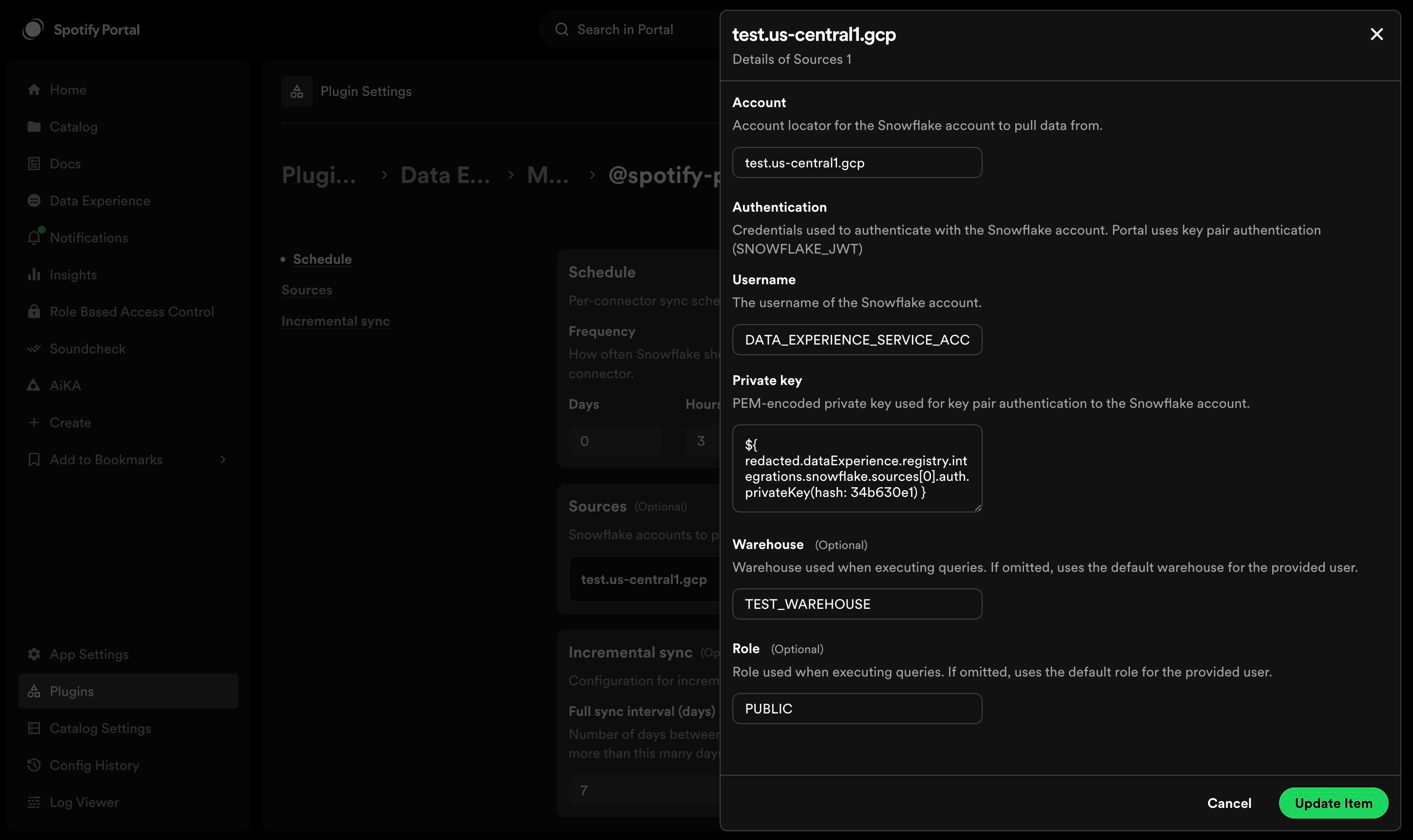
PUBLIC. This would mean any tables visible only to ACCOUNTADMINs
would not be ingested into the Registry.
Naming
The naming structure for Datasets created from Snowflake is as follows:[database].[schema].[table_name].
Tags & Labels
Snowflake Tags are pieces of metadata that can be added to various resources. Since these are key-value pairs in the source system, the Snowflake connector for Registry will convert them to labels (which are a key-value pair mapping) within the Software Catalog. Tags that can’t be converted into Catalog labels (because they’re too long, contain invalid UTF-8 characters, etc) will be omitted from the Dataset and emit aWARN log.
The snowflake connector will parse the tags looking for ones where the key value is OWNER or LIFECYCLE in order to populate those
values onto the dataset. If an OWNER key is not found within the tags, it will use the ownership metadata
(which is usually the principal role on the table).
Finally, it will use the values populated within the entityDefaults section of the config as a fallback option for both owner and lifecycle.
Incremental Ingestion
Each sync fetches tables that have changed since the last successful sync using Snowflake’sLAST_DDL timestamp on each table. A full sync runs periodically to catch any missed changes and clean up deleted datasets. The default interval is 7 days, and can be configured in dataExperience -> registry -> incrementalSync -> fullSyncIntervalDays.
How it works
- Incremental syncs query
INFORMATION_SCHEMA.TABLESfiltered to tables whereLAST_DDLis newer than the last sync time. Only changed tables have their columns and tags re-fetched. - Full syncs still run on the first sync, when the full sync interval has elapsed, or if an incremental sync fails.
- Dataset cleanup (removing datasets that no longer exist in Snowflake) only happens during full syncs, since incremental syncs only see a subset of tables.
Incremental ingestion works well when paired with a more frequent sync
schedule (e.g. every 30 minutes) since each run is lightweight. Full syncs
will still occur at the configured interval regardless of schedule frequency.