Documentation Index
Fetch the complete documentation index at: https://backstage.spotify.com/docs/llms.txt
Use this file to discover all available pages before exploring further.
What is the Data Experience
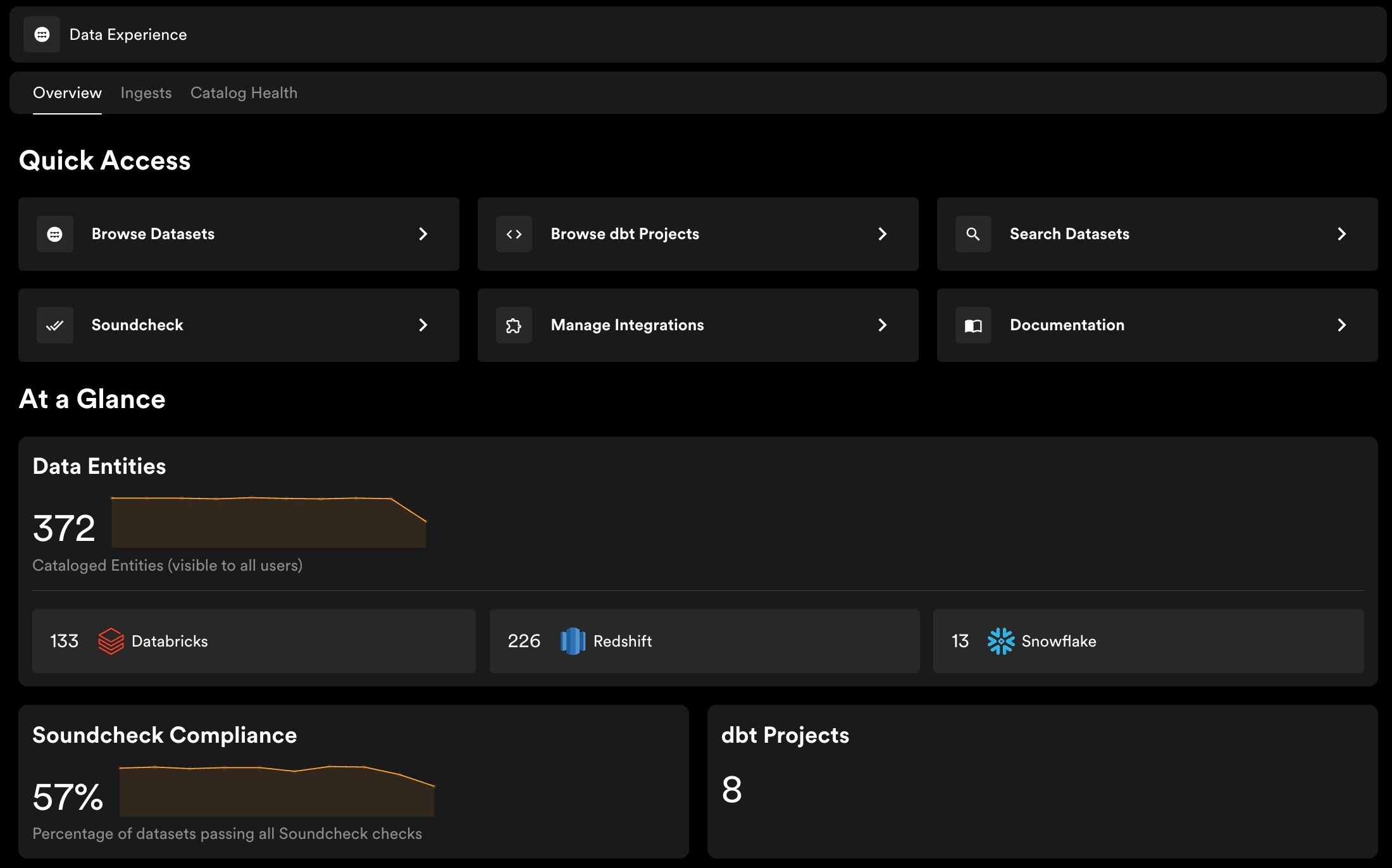
The Data Experience brings your organization’s datasets into Portal’s Software Catalog, alongside the components and services that produce and consume them. It ingests dataset metadata from Snowflake, BigQuery, Databricks, Redshift, and Data Build Tool (dbt), and surfaces it as searchable, ownable entities your organization can use.
Who it’s for
Responsible for configuring and maintaining the Data Experience. Data platform teams connect warehouse integrations, manage ingestion, and control which datasets surface in the catalog. They can also use Soundcheck to promote best practices and measure data health across the catalog, using the built-in Data Registry fact collector or by writing their own checks.
Data Practitioners
Data analysts, data scientists, and data engineers who interact with the catalog directly. They can search for datasets, review schema and ownership, manage metadata through Entity Overlays, and submit access requests.
Developers
Engineers who need to understand what data is available and how it relates to the services they build. The catalog gives them visibility into datasets alongside the rest of the software ecosystem in Portal.
What you can do with it
The Data Experience is built around one goal: making data self-service. Instead of your data platform team fielding every discovery, access, and ownership question, developers and data practitioners can find what they need, understand it, and get access on their own.
Discover datasets without leaving Portal
Search for any table or view by name or owner across all connected warehouses. Each dataset has its own entity page in the catalog showing its description, tags, labels, owner, lifecycle status, schema, and field-level descriptions.
Bring dbt projects and models into the catalog
Ingest your dbt projects into the Software Catalog so teams can browse them alongside warehouse tables. Each project surfaces its full list of models as catalog entities. Where a dbt model matches a cataloged dataset, Portal links them and surfaces a dbt Model tab on the dataset entity page. Anyone browsing that dataset can see the model that produces it.
Connect data consumers to the right owners through data access requests
Data consumers can submit an access request directly from any dataset entity page, sharing their use case with the dataset owner. The request is tracked so neither side loses track of the conversation, and owners know exactly who wants access and why.
Monitor data catalog growth and usage
See how many datasets are in your catalog, broken down by source, and track how that changes over time. Usage trends surface which datasets are getting traction across your organization.
Update ownership, lifecycle, tags, and annotations on any dataset entity from the Portal UI. Use the entity page menu to keep metadata current as teams and responsibilities change — no YAML files or code changes required.
Know what’s in your catalog and whether ingestion is healthy
The Catalog Health view shows how many datasets are cataloged versus excluded, surfaces validation failures, and lets you define exclusion patterns to filter out staging tables, internal views, and test datasets. Per-connector ingest status and logs are visible in Portal.
Set and track data quality standards across every dataset
Use Soundcheck checks on dataset entities to score documentation coverage, ownership completeness, and lifecycle status. The Data Experience includes a built-in Data Registry Fact Collector that supplies dataset metadata to Soundcheck checks, so no custom fact collector is needed to get started. A Soundcheck tab appears on each dataset entity page, showing the relevant tracks and check results for that entity.
Give your AI tools the context they’re missing
Data search tools are available in Portal’s MCP, providing relevant data context to coding agents such as Cursor, Claude, and GitHub Copilot. If you use AiKA, it can also answer natural language questions about your data catalog directly from Portal.
