Overview
This step will guide you through the process of installing the Azure DevOps Wiki collator which will index the content of the Wikis you configure so that they show up in Search results and can be used by AiKA with some minor configuration.
For more details checkout the Azure DevOps Wiki collator documentation.
Step Checklist
This is the sixth (6) and last step in this guide, once completed you can move onto the next step.
- Setup the Azure integration in App Settings
- Setup Azure DevOps Discovery
- Install the Azure DevOps Annotator Processor
- Install the Azure DevOps plugin
- Install the Azure DevOps scaffolder actions
- Install the Azure DevOps Wiki collator
Walkthrough
Here’s how to install the Azure DevOps Wiki collator:
- Navigate to Plugins and click the ”+ Install plugin” button
- In the text box that says “Package name” paste in
@backstage-community/plugin-search-backend-module-azure-devops
- Then check the “I accept that packages installed have access to all data and configuration in Portal.” box and click the “Install” button
- Once it’s done the installation process you can click on the “Finish” button
- You’ll now find yourself back at the main Plugins screen, from here on the Search card click on the “View” button
- Then click on the Modules tab
- Now search for the
@backstage-community/plugin-search-backend-module-azure-devops card and click on “Manage module”
- There’s some configuration we will need to provide for this plugin to work:
baseUrl: This will be the URL to Azure DevOps https://dev.azure.comfrequency: This will be how often you want the Wikis to be indexed, start with a short value 5-10 minutes to get started and then length that out to 12 hours to 1 daytimeout: This will be how long it will wait before ending the index process itself, 15 minutes works well, adjust as neededinitialDelay: This optional field can be left blanktoken: This is where you would provide a Personal Access Token (PAT), the only authentication method supported currently, with read access to the Wikis you plan to index
- The last part of the configuration is to add the details for each Wiki you want to index, click the ”+ Add Item” button and provide the following:
wikiIdentifier: The identifier of the wiki. This can be found by looking at the URL of the wiki in Azure DevOps. It is typically something like '{nameOfWiki}.wiki'organization: The organization name where the Wiki is locatedproject: The project name where the Wiki is locatedtitleSuffix: This optional field will append to the title of articles to make them easier to identify as search results from the Wikis
- Repeat step 9 for each Wiki you wish to index, once completed click on the Save button on the bottom right
- In the top right you’ll see a pulsing message “Applying new configuration…” as the settings get saved, which will then change to “New configuration applied successfully.”
- To get the collator running, click the “Start” button
- You’ll see the “Applying new configuration…” message again, which will then change to “New configuration applied successfully.” with a Reload button, click it to reload the configuration
- You now have the Azure DevOps Wiki collator installed and running
If you’d like AiKA to also have access to the data being indexed by the Azure
DevOps Wiki collator make sure to add azure-devops-wiki-article to it’s
knowledge types. Checkout the AiKA Knowledge
Sources
documentation for where to add that. Features
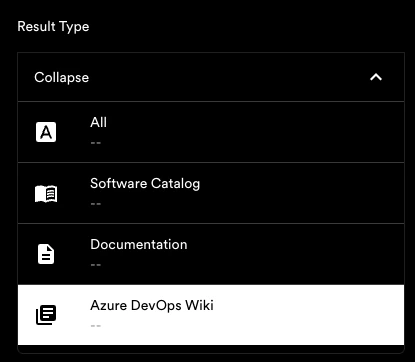
When looking at Search results you’ll now have an Azure DevOps Wiki Result Type you can filter by:
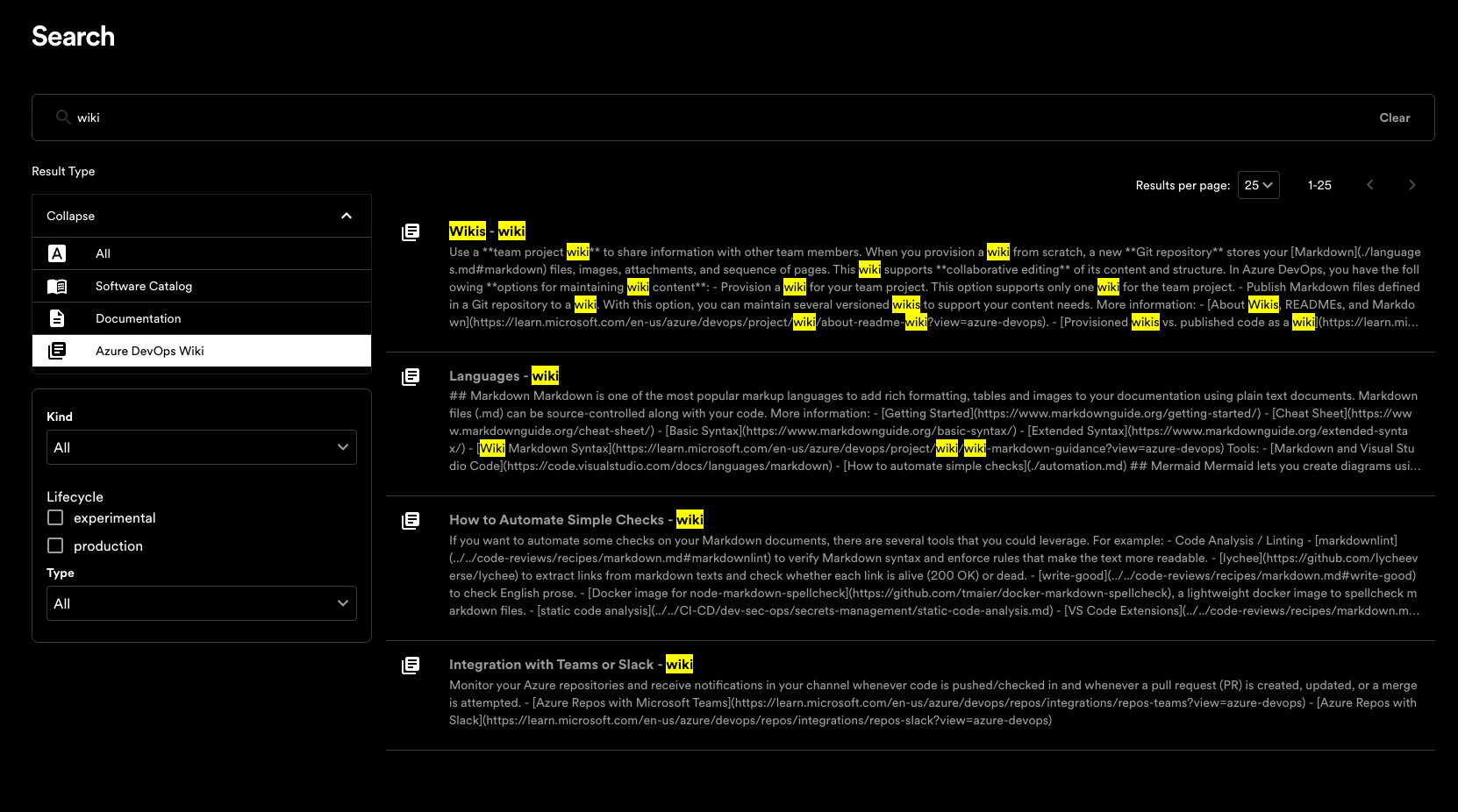
Pages from the configured Azure DevOps Wikis will also show up in search results:
In this image we have setup the titleSuffix setting to be ” - wiki”, the
Azure DevOps Wiki collator then suffixes this text to each result title as
seen above.