
Documentation Index

Fetch the complete documentation index at: https://backstage.spotify.com/docs/llms.txt

Use this file to discover all available pages before exploring further.

All plugin operations — install, update, and uninstall — trigger a build process. After starting an operation, Portal displays a build progress dialog that walks through the following stages:
Only one build can be in progress at a time. If you attempt to start a new operation while a build is already running, Portal will show the existing in-progress build instead.
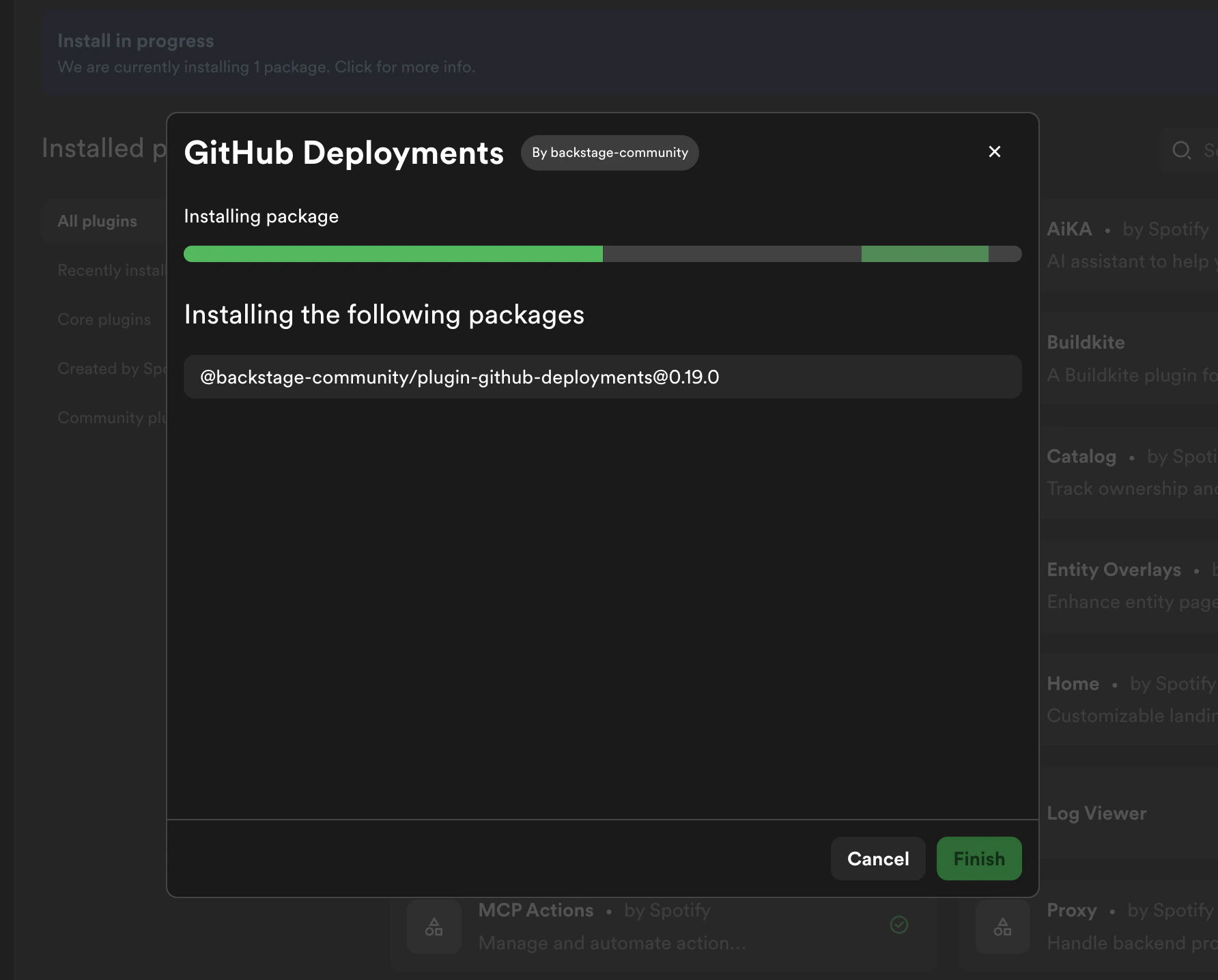
StageDescription
WaitingBuild is queued and waiting to start
AnalyzingAnalyzing package dependencies
DownloadingDownloading packages
InstallingInstalling packages
BuildingBuilding Portal with the updated packages
SavingSaving build artifacts
CompleteBuild finished successfully
Build progress dialog showing
stages

Viewing an In-Progress Build

If you navigate away from the build dialog, you can return to it at any time. The Plugin Settings page displays a banner when a build is in progress — click View to reopen the build progress dialog.
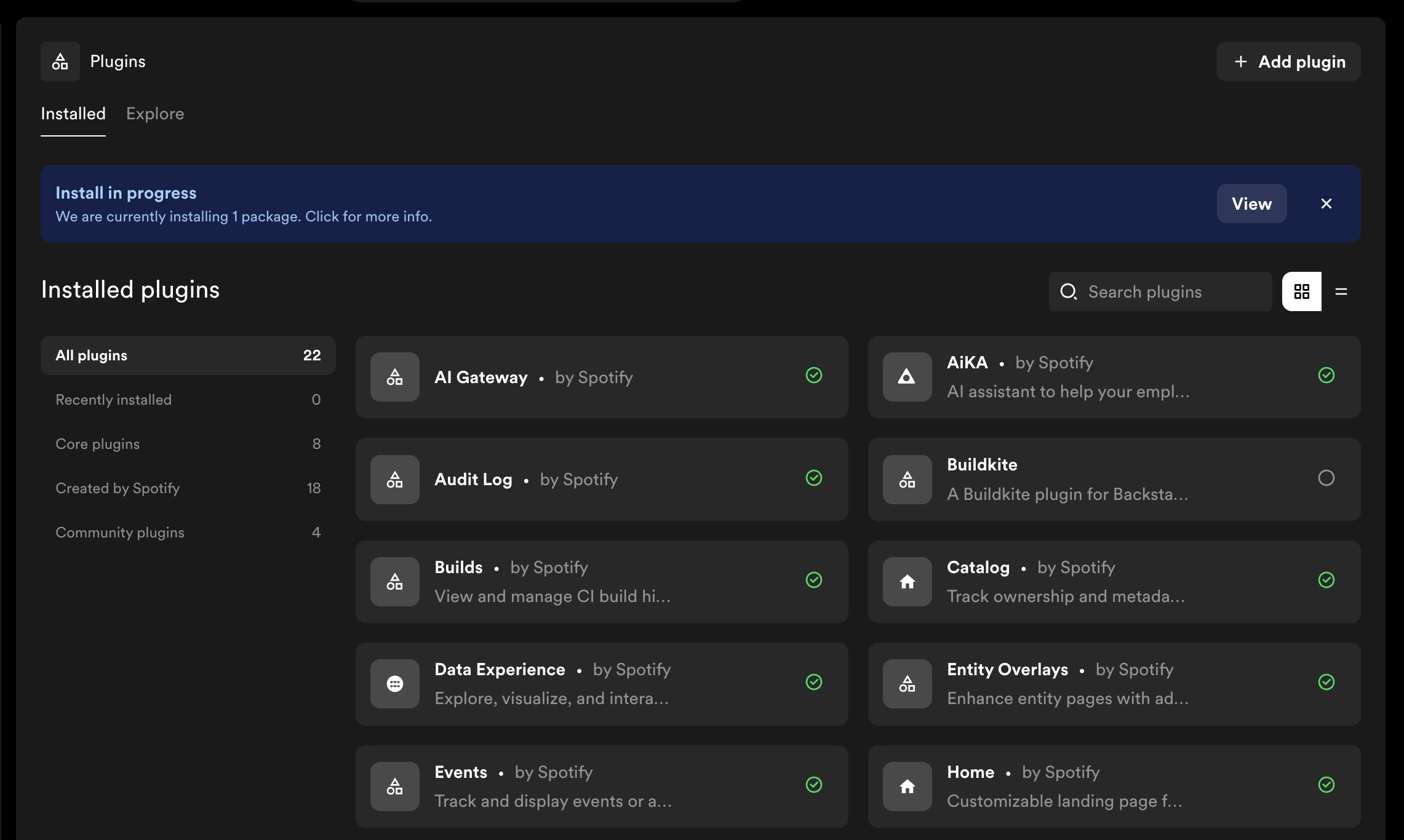
Plugin Settings banner showing an in-progress build with View
button

If a Build Fails

If the build encounters an error, the dialog will display the failure reason along with any per-package error details.
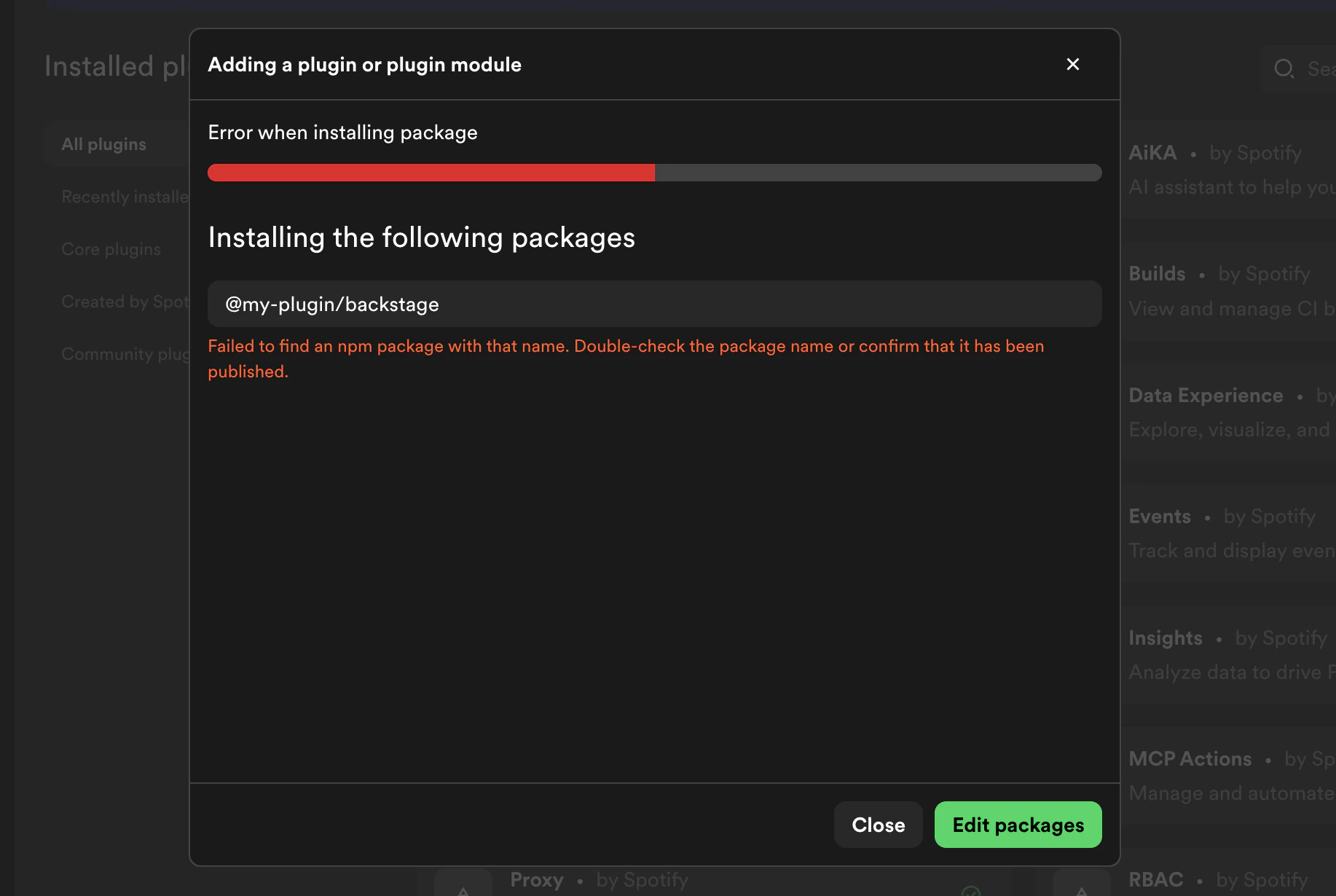
Failed build showing error
details
From the error screen, you can:
  • Edit packages — adjust package names or versions and retry the operation
  • Cancel — discard the operation and return to Plugin Settings

Cancelling a Build

You can cancel a build while it is in progress by clicking Cancel in the build dialog. You will be asked to confirm before the build is stopped.
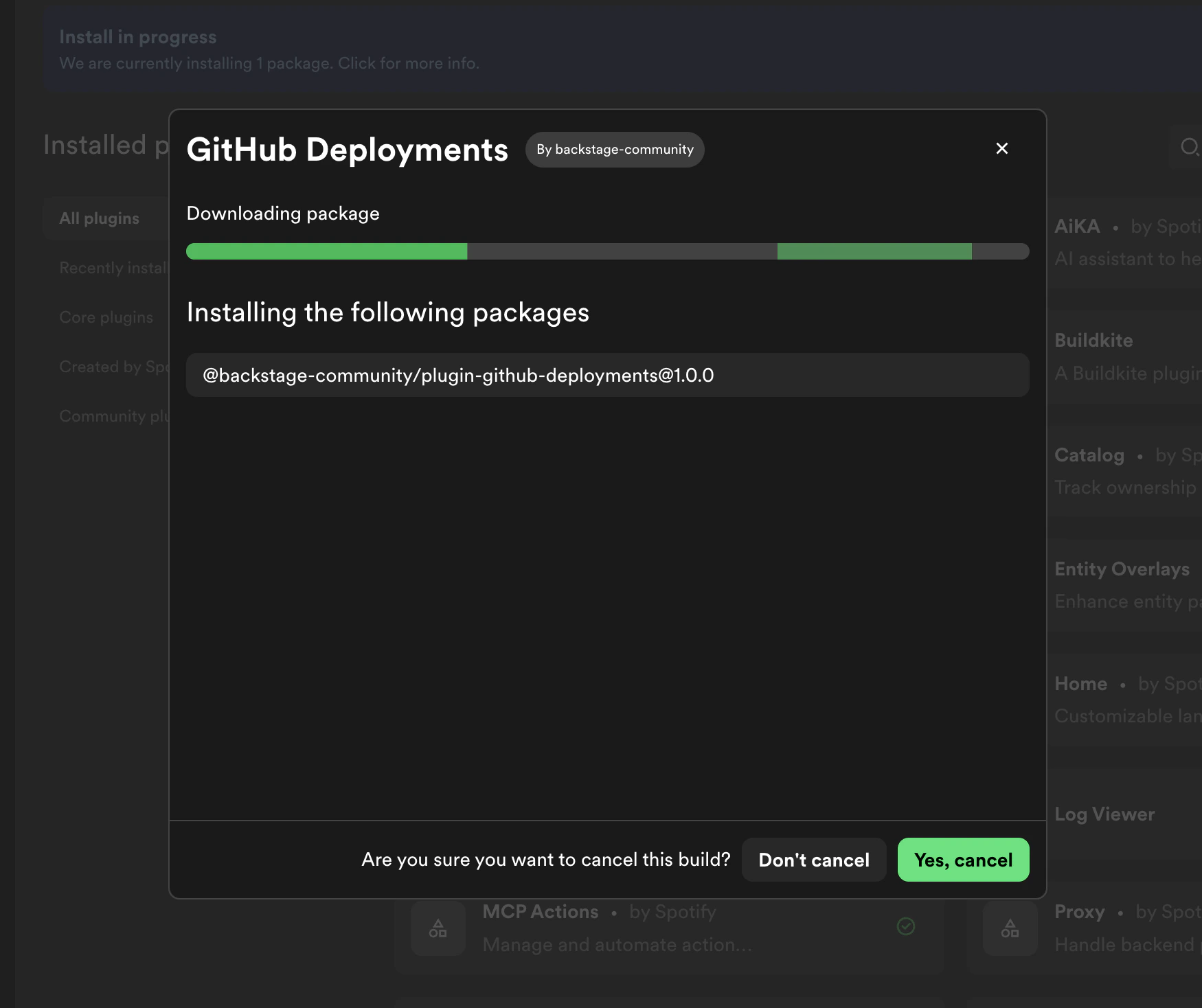
Cancel confirmation
dialog