Ingest users and groups

warning

It is important to follow all the steps in this guide to ensure a successful configuration of Entra ID authentication.

If you encounter any issues, please contact support.

Portal can ingest organizational data—such as users and teams—from your Microsoft Entra ID tenant via the Microsoft Graph API. To do this, you must grant specific permissions to your Azure App Registration and configure the Microsoft Graph provider in Portal.

Configure Permissions for Microsoft Graph in Azure

Portal requires the App Registration to have the following Application permissions (not Delegated) for Microsoft Graph:

  • GroupMember.Read.All
  • User.Read.All

If your organization requires admin consent, ensure these permissions are granted by an administrator.

Configure the Microsoft Graph Provider in Portal

  1. From the admin sidebar section, select Plugins -> Catalog -> View
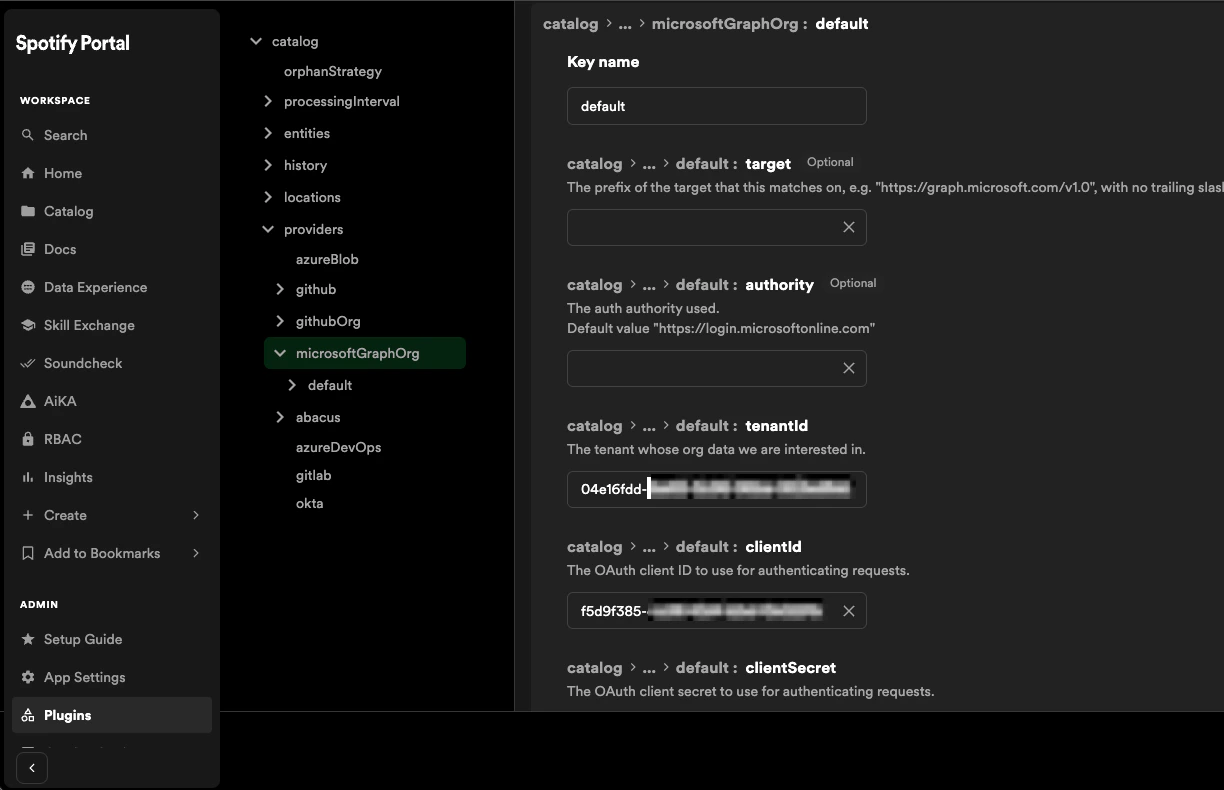
  2. Scroll to catalog.providers.microsoftGraphOrg and select Option 2
  3. Add a new configuration entry named default
  4. from your Azure App Registration:
    • clientId
    • clientSecret
    • tenantId

Add app credentials

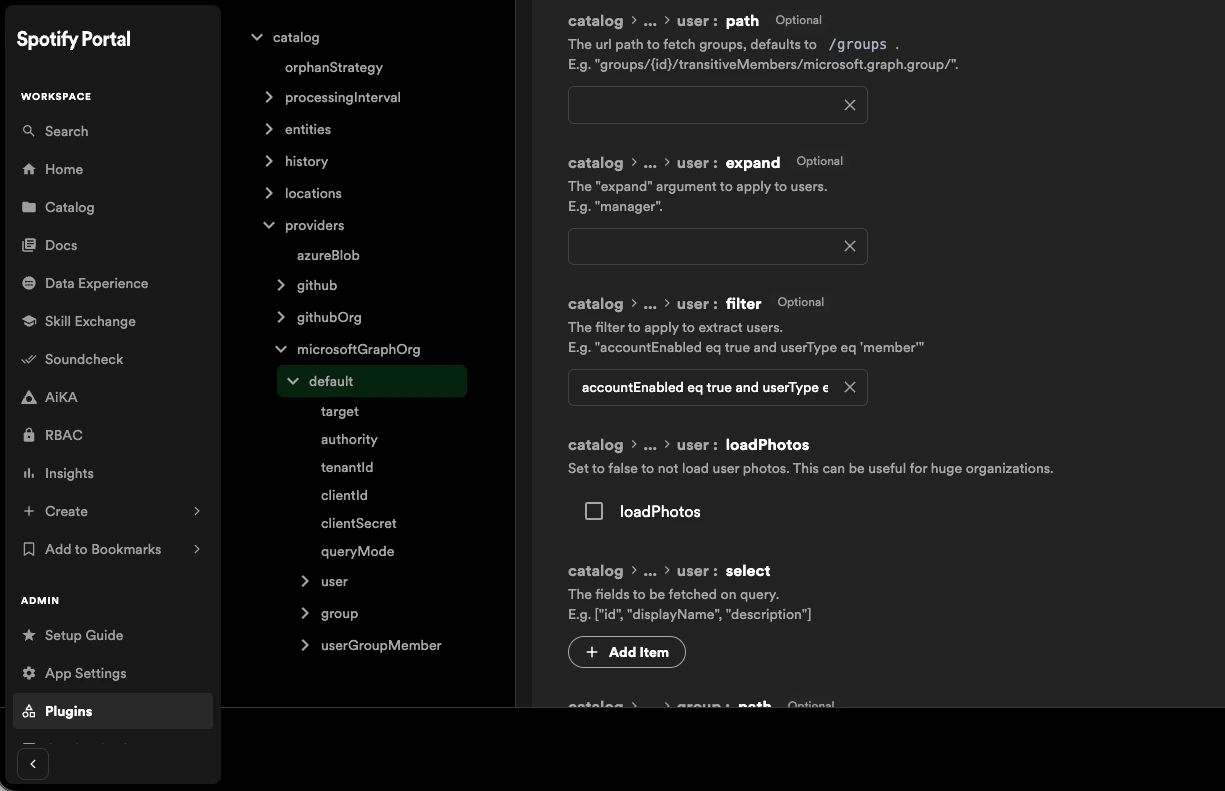
  1. For user.filter add
accountEnabled eq true and userType eq 'member'

Add user filter

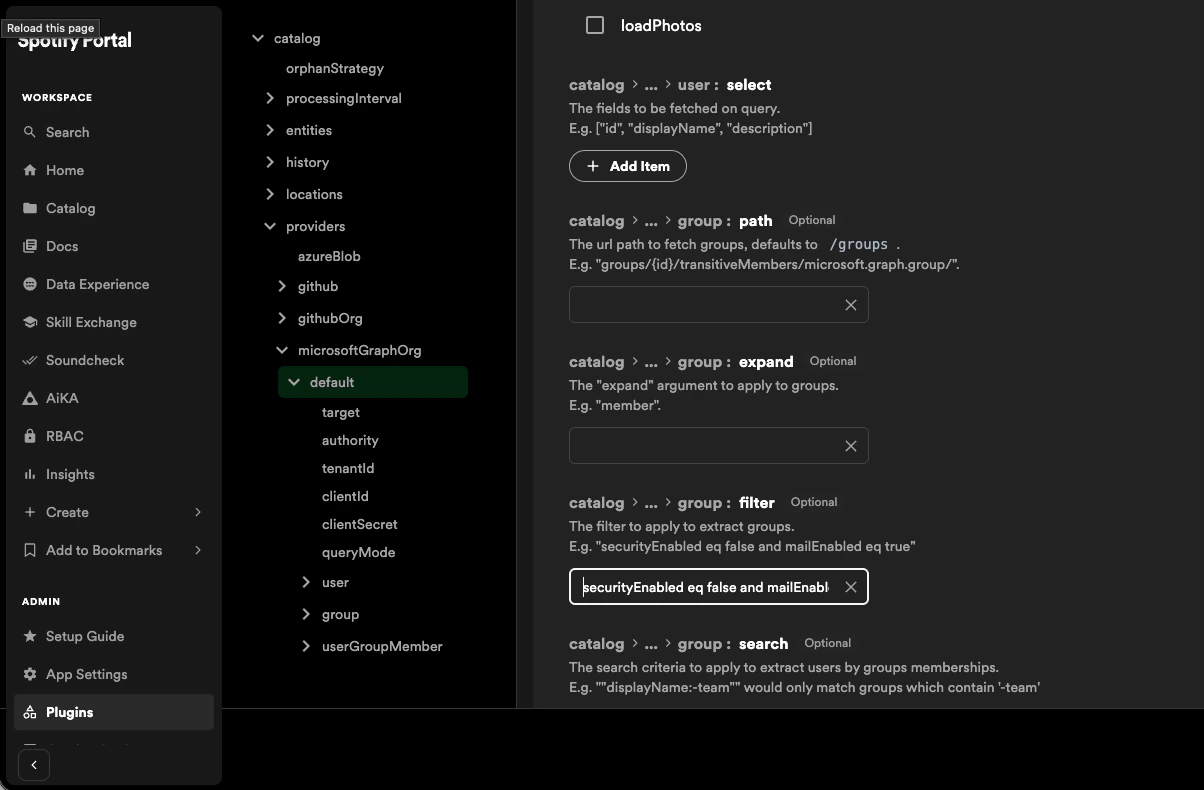
  1. For group.filter add
securityEnabled eq false and mailEnabled eq true and groupTypes/any(c:c+eq+'Unified')

Add group filter

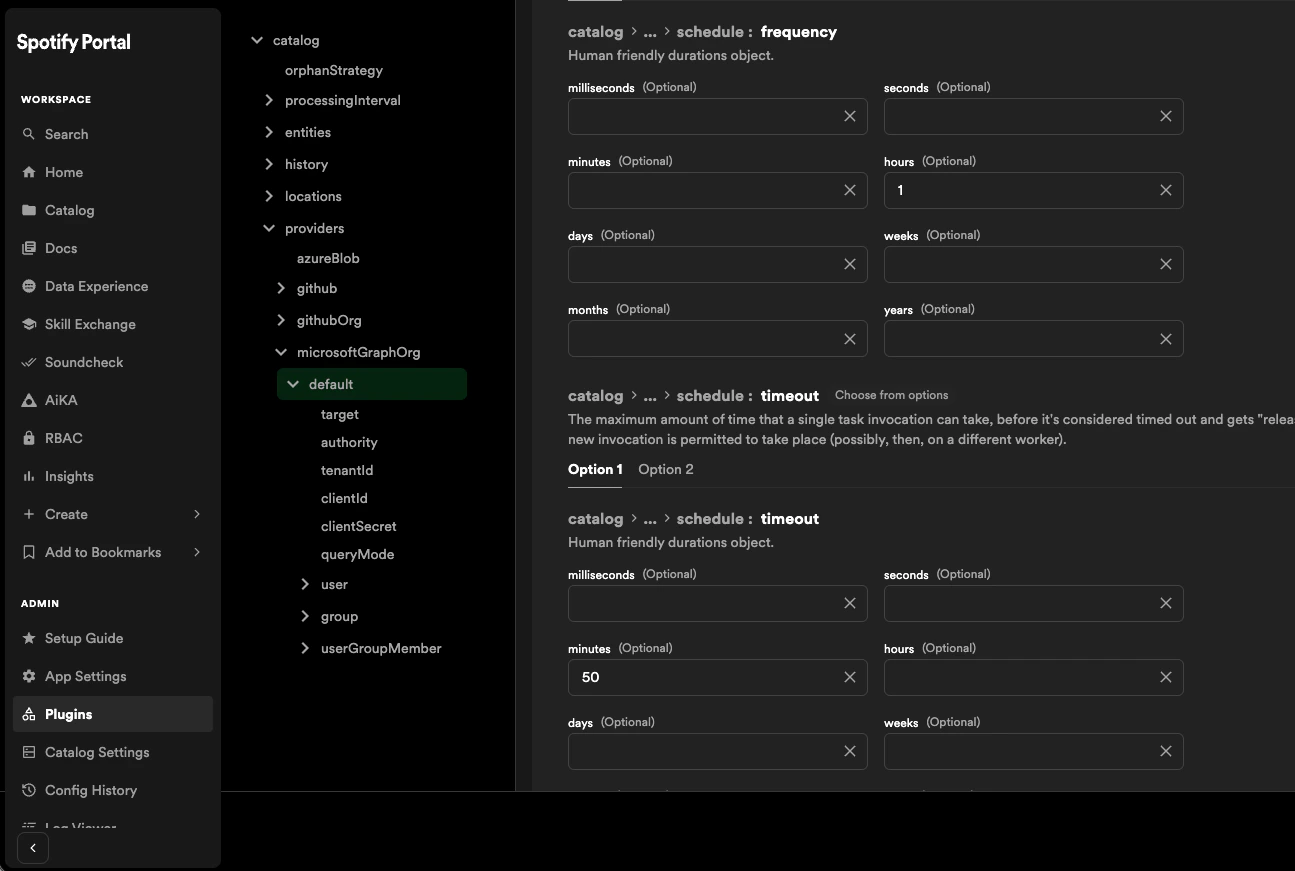
  1. Under schedule, set frequency (e.g., 1 hour), timeout (e.g., 50 minutes) and initialDelay (e.g., 30 seconds).

Add schedule

  1. Click Save changes.

Portal will now begin ingesting and synchronizing user and group data from Microsoft Entra ID according to the schedule cadence specified above. You can check this by visiting Portal's Catalog, and looking to see if expected users and groups are being added from Entra ID.

Next Steps

Your Portal instance should now have users and groups from Entra ID within the catalog.

Continue to the next section to learn how to configure the authentication provider in Portal to authenticate users via Microsoft Entra ID.