> ## Documentation Index
> Fetch the complete documentation index at: https://backstage.spotify.com/docs/llms.txt
> Use this file to discover all available pages before exploring further.
# Launch and share Xirp sessions
> Start a Xirp coding session from a Portal Workspace, use shared MCP context, and upload the transcript.
Launch Xirp from a Workspace when a coding task should begin with shared product and system context.
## Before you start
Confirm that:
* Xirp is installed and [connected to Portal](/docs/xirp/connecting-to-portal).
* You are a member of the Workspace.
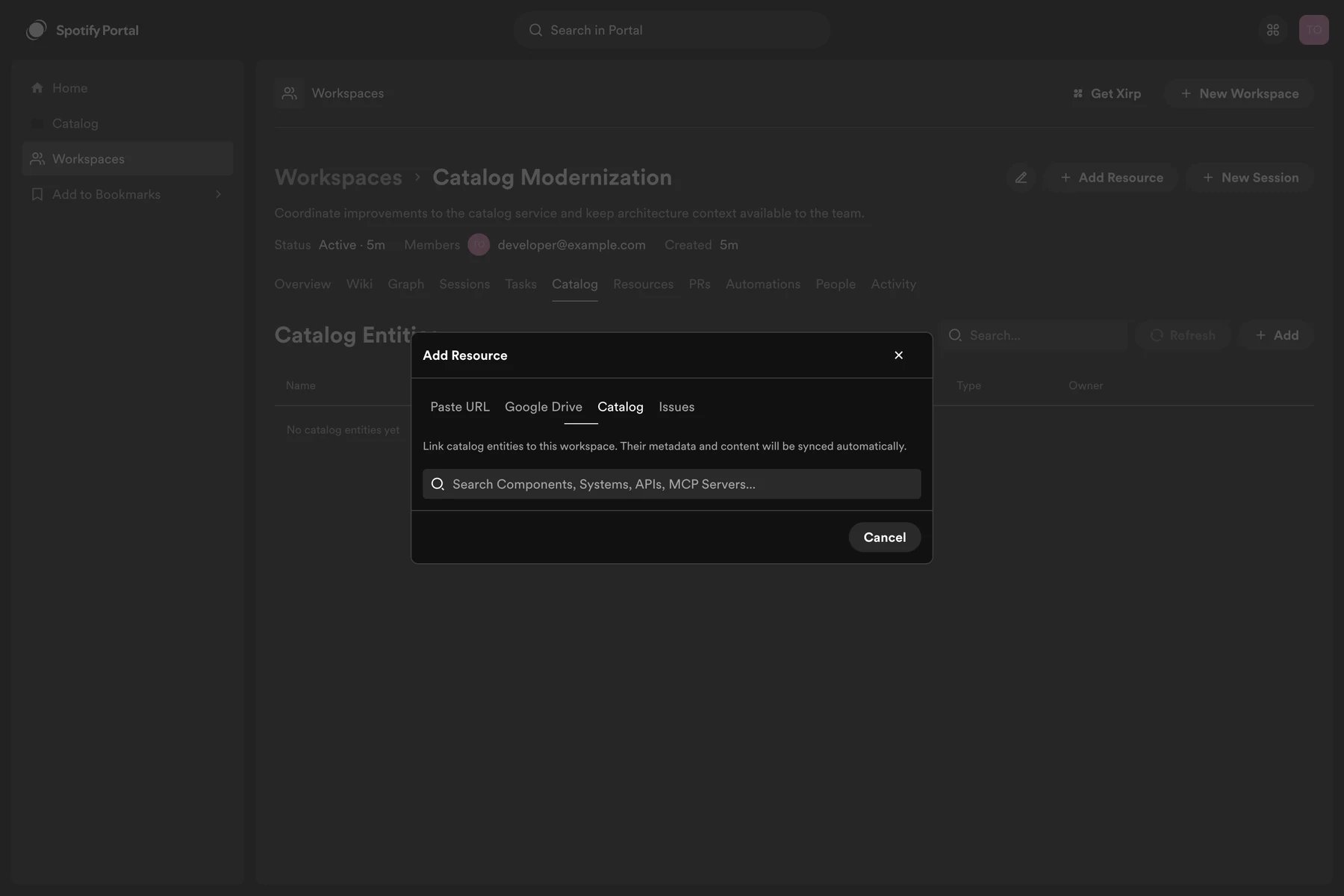
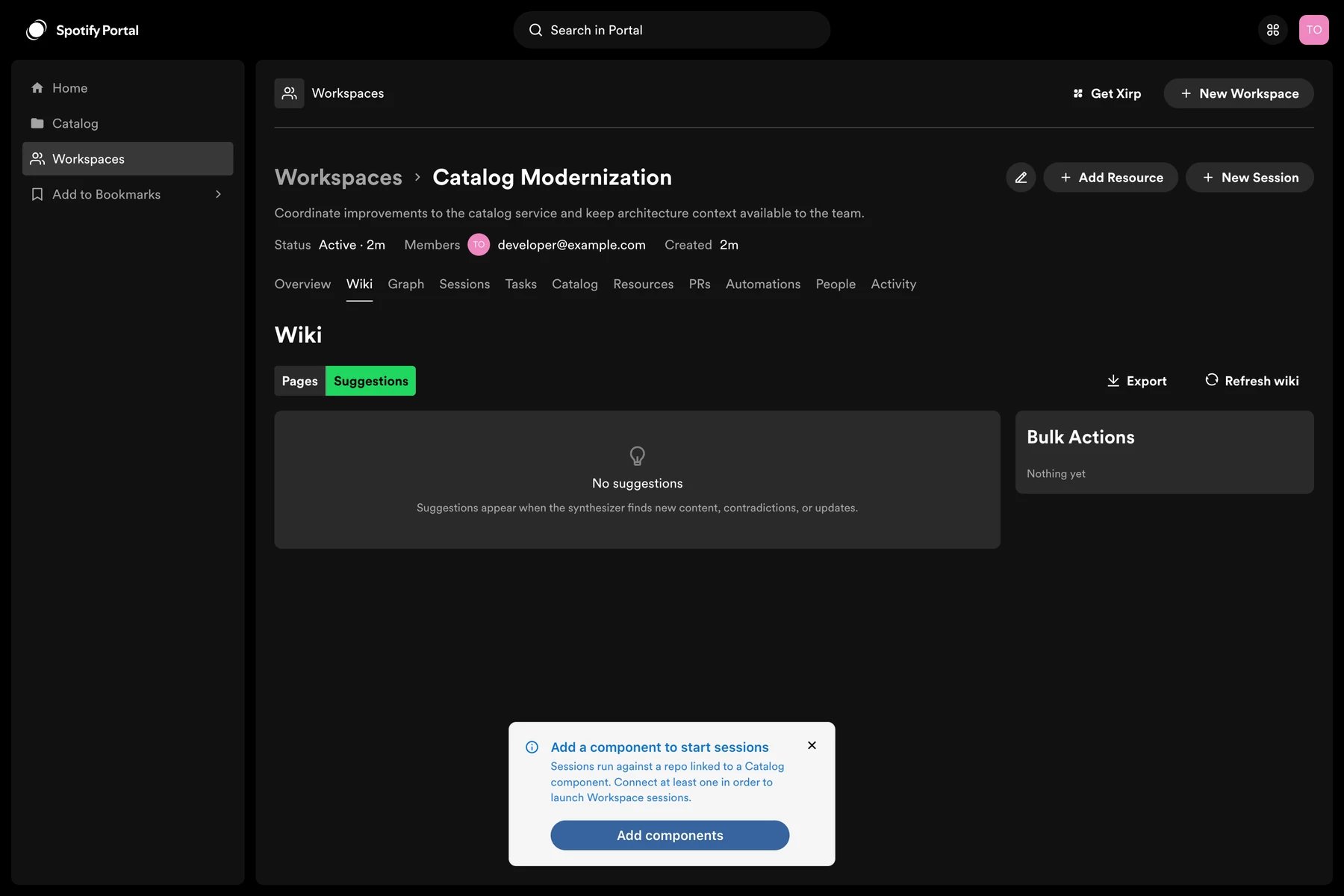
* The Workspace contains at least one catalog component.
* The selected component has a source location that resolves to a Git repository.
* A supported coding agent is installed and authenticated on your Mac.
Use the **Catalog** tab to add components before launching.
 ## Launch from a Workspace
1. Open the Workspace in Portal.
2. Select **Open in Xirp** or the Xirp session action.
3. If prompted, choose the catalog component and source repository.
4. Approve the browser request to open Xirp.
5. Choose the local destination or existing project when prompted.
6. Review the session goal and start the session.
If a Workspace contains more than one eligible component, Xirp asks which repository to use. A session cannot launch from a Workspace that has no eligible component.
## Launch from a Workspace
1. Open the Workspace in Portal.
2. Select **Open in Xirp** or the Xirp session action.
3. If prompted, choose the catalog component and source repository.
4. Approve the browser request to open Xirp.
5. Choose the local destination or existing project when prompted.
6. Review the session goal and start the session.
If a Workspace contains more than one eligible component, Xirp asks which repository to use. A session cannot launch from a Workspace that has no eligible component.
 ## What the agent receives
Xirp associates the session with the Workspace and connects the agent to Portal's MCP endpoint. At the start of the session, the agent can request a curated project overview that includes available:
* Workspace metadata and members
* Catalog entities
* Resources
* Wiki pages
* Records and decisions
* Suggestions
* Previous uploaded session transcripts
The agent loads detail only when needed. This avoids placing every Workspace document in the initial prompt.
Workspace context complements repository files and agent rules. It does not
override the coding agent's native permissions, sandbox, model, or
credentials.
## Work in Xirp
Use a new worktree when the task may change code. During the session, you can review files and Git changes, open a linked shell, or place the session in grid view alongside related work.
Ask the agent to distinguish facts found in the repository from facts found in Portal. For important conclusions, ask it to cite the relevant wiki page, record, resource, or file.
## Share the transcript
Session upload is manual during the beta.
1. Open the associated session in Xirp.
2. Select the Portal upload action.
3. Confirm the target Workspace.
4. Review the session information and upload.
5. Return to the Workspace and verify that the session appears.
The uploaded transcript can include the conversation, tool calls, file changes, and agent reasoning available in the native transcript format. Authorized Workspace members can use it to understand the work, and future sessions can retrieve it through MCP.
Xirp does not scrub or redact credentials or other sensitive data before
upload. Review the transcript and do not upload it if it contains secrets,
credentials, personal data, customer data, or source content that Workspace
members should not receive.
## Current limitations
* Uploads are not automatic.
* A session started from a catalog component outside a Workspace has no Workspace target for upload.
* Access to full transcript content depends on Workspace permissions and current beta behavior.
* Repository selection is required when several catalog components are available.
## What the agent receives
Xirp associates the session with the Workspace and connects the agent to Portal's MCP endpoint. At the start of the session, the agent can request a curated project overview that includes available:
* Workspace metadata and members
* Catalog entities
* Resources
* Wiki pages
* Records and decisions
* Suggestions
* Previous uploaded session transcripts
The agent loads detail only when needed. This avoids placing every Workspace document in the initial prompt.
Workspace context complements repository files and agent rules. It does not
override the coding agent's native permissions, sandbox, model, or
credentials.
## Work in Xirp
Use a new worktree when the task may change code. During the session, you can review files and Git changes, open a linked shell, or place the session in grid view alongside related work.
Ask the agent to distinguish facts found in the repository from facts found in Portal. For important conclusions, ask it to cite the relevant wiki page, record, resource, or file.
## Share the transcript
Session upload is manual during the beta.
1. Open the associated session in Xirp.
2. Select the Portal upload action.
3. Confirm the target Workspace.
4. Review the session information and upload.
5. Return to the Workspace and verify that the session appears.
The uploaded transcript can include the conversation, tool calls, file changes, and agent reasoning available in the native transcript format. Authorized Workspace members can use it to understand the work, and future sessions can retrieve it through MCP.
Xirp does not scrub or redact credentials or other sensitive data before
upload. Review the transcript and do not upload it if it contains secrets,
credentials, personal data, customer data, or source content that Workspace
members should not receive.
## Current limitations
* Uploads are not automatic.
* A session started from a catalog component outside a Workspace has no Workspace target for upload.
* Access to full transcript content depends on Workspace permissions and current beta behavior.
* Repository selection is required when several catalog components are available.