> ## Documentation Index
> Fetch the complete documentation index at: https://backstage.spotify.com/docs/llms.txt
> Use this file to discover all available pages before exploring further.
# Plugin Versioning
> Specify semver versions and prerelease tags when installing or updating Portal plugins, and understand how Portal detects available updates.
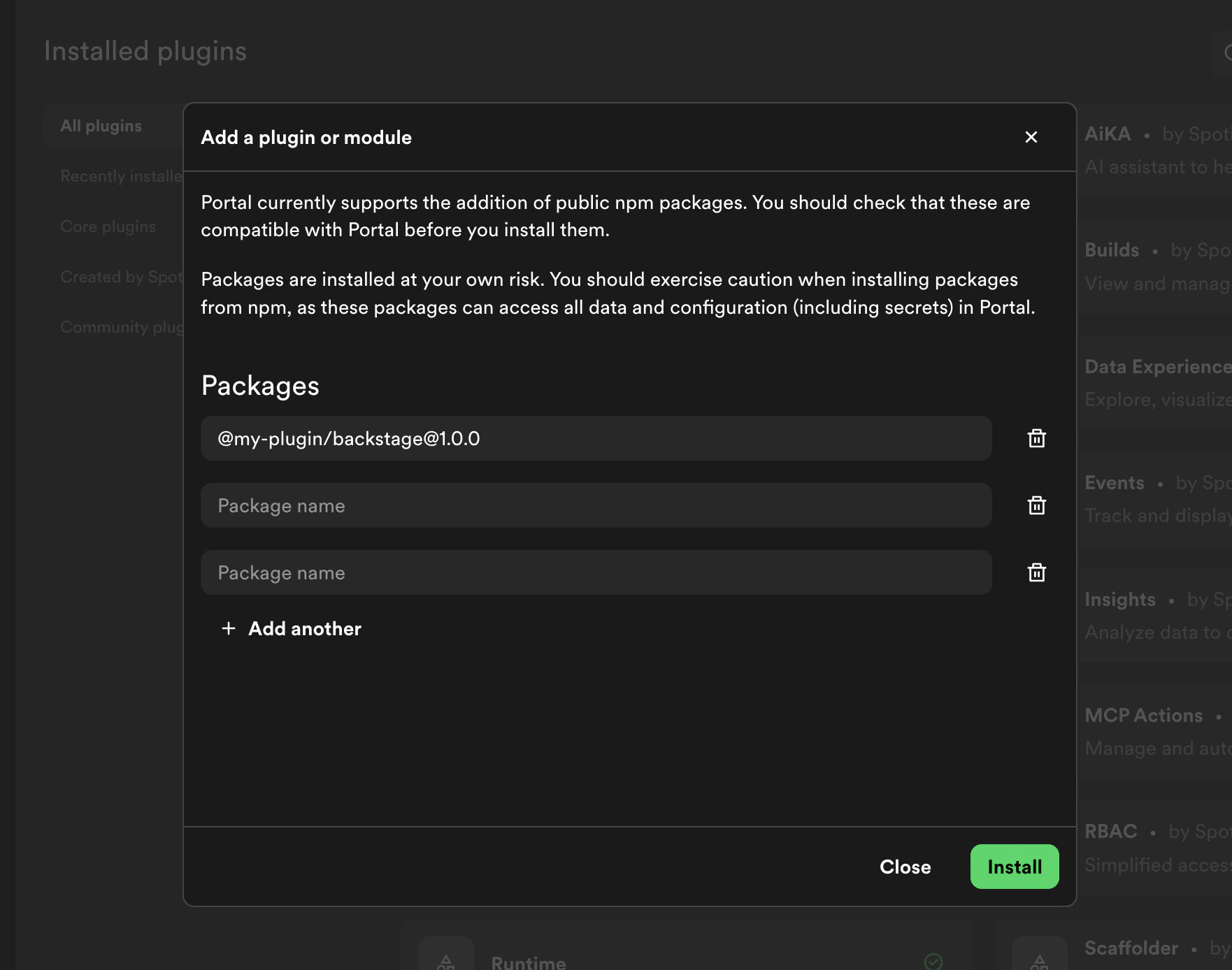
Portal supports semantic versioning (semver) for plugin installation and updates, including prerelease versions. You can specify a version using the `@` syntax when entering package names (e.g., `@backstage/plugin-example@1.2.3`).
 ## Installing Plugins
When installing a plugin, Portal will:
* **Default to latest version** - If no version tag is specified, the latest stable version will be installed
* **Support mainline versions** - You can specify a specific mainline version (e.g., `1.2.3`)
* **Support prerelease versions** - You can specify a valid prerelease version tag (e.g., `1.0.0-alpha.1`)
A valid semver prerelease tag follows the format: `..-.`
**Valid examples:**
* `1.0.0-alpha.1`
* `2.5.3-beta.2`
* `1.0.0-rc.5`
**Invalid examples:**
* `1.0.0-1.1` (missing prerelease identifier string)
## Checking for Updates
Portal's update checking behavior depends on your currently installed version:
* **Mainline versions** - If you're on a mainline version (e.g., `1.2.3`), Portal will check for updates to the latest mainline version
* **Prerelease versions** - If you're on a valid prerelease tag (e.g., `1.0.0-alpha.1`), Portal will check for updates only within that prerelease path (e.g., `1.0.0-alpha.2`, `1.0.0-alpha.3`, etc.). It will not automatically suggest upgrading to the mainline or a different prerelease channel.
This ensures that if you're testing a specific prerelease channel, you won't accidentally upgrade to an incompatible version or different release track.
### Example
Suppose a plugin has the following published versions:
| Version | Channel |
| -------------- | ----------------- |
| `1.0.0` | Mainline |
| `1.1.0` | Mainline |
| `2.0.0` | Mainline |
| `2.0.0-beta.1` | Prerelease (beta) |
| `2.0.0-beta.2` | Prerelease (beta) |
| `2.0.0-rc.1` | Prerelease (rc) |
* If you have **`1.0.0`** installed, Portal will suggest updating to **`2.0.0`** — the latest mainline version. It will not suggest any prerelease versions.
* If you have **`2.0.0-beta.1`** installed, Portal will suggest updating to **`2.0.0-beta.2`** — the latest version on the same `beta` prerelease path. It will not suggest `2.0.0-rc.1` or `2.0.0`, even though those are newer.
* If you have **`2.0.0-rc.1`** installed, Portal will not suggest any update, since there is no newer version on the `rc` path.
To switch from a prerelease channel to mainline (or to a different prerelease channel), manually specify the target version when [updating the plugin](./updating-plugins).
## Installing Plugins
When installing a plugin, Portal will:
* **Default to latest version** - If no version tag is specified, the latest stable version will be installed
* **Support mainline versions** - You can specify a specific mainline version (e.g., `1.2.3`)
* **Support prerelease versions** - You can specify a valid prerelease version tag (e.g., `1.0.0-alpha.1`)
A valid semver prerelease tag follows the format: `..-.`
**Valid examples:**
* `1.0.0-alpha.1`
* `2.5.3-beta.2`
* `1.0.0-rc.5`
**Invalid examples:**
* `1.0.0-1.1` (missing prerelease identifier string)
## Checking for Updates
Portal's update checking behavior depends on your currently installed version:
* **Mainline versions** - If you're on a mainline version (e.g., `1.2.3`), Portal will check for updates to the latest mainline version
* **Prerelease versions** - If you're on a valid prerelease tag (e.g., `1.0.0-alpha.1`), Portal will check for updates only within that prerelease path (e.g., `1.0.0-alpha.2`, `1.0.0-alpha.3`, etc.). It will not automatically suggest upgrading to the mainline or a different prerelease channel.
This ensures that if you're testing a specific prerelease channel, you won't accidentally upgrade to an incompatible version or different release track.
### Example
Suppose a plugin has the following published versions:
| Version | Channel |
| -------------- | ----------------- |
| `1.0.0` | Mainline |
| `1.1.0` | Mainline |
| `2.0.0` | Mainline |
| `2.0.0-beta.1` | Prerelease (beta) |
| `2.0.0-beta.2` | Prerelease (beta) |
| `2.0.0-rc.1` | Prerelease (rc) |
* If you have **`1.0.0`** installed, Portal will suggest updating to **`2.0.0`** — the latest mainline version. It will not suggest any prerelease versions.
* If you have **`2.0.0-beta.1`** installed, Portal will suggest updating to **`2.0.0-beta.2`** — the latest version on the same `beta` prerelease path. It will not suggest `2.0.0-rc.1` or `2.0.0`, even though those are newer.
* If you have **`2.0.0-rc.1`** installed, Portal will not suggest any update, since there is no newer version on the `rc` path.
To switch from a prerelease channel to mainline (or to a different prerelease channel), manually specify the target version when [updating the plugin](./updating-plugins).