> ## Documentation Index
> Fetch the complete documentation index at: https://backstage.spotify.com/docs/llms.txt
> Use this file to discover all available pages before exploring further.
# Managing Plugins
> Navigate Portal's Plugin Settings page to install, update, and uninstall Backstage plugins through a guided workflow.
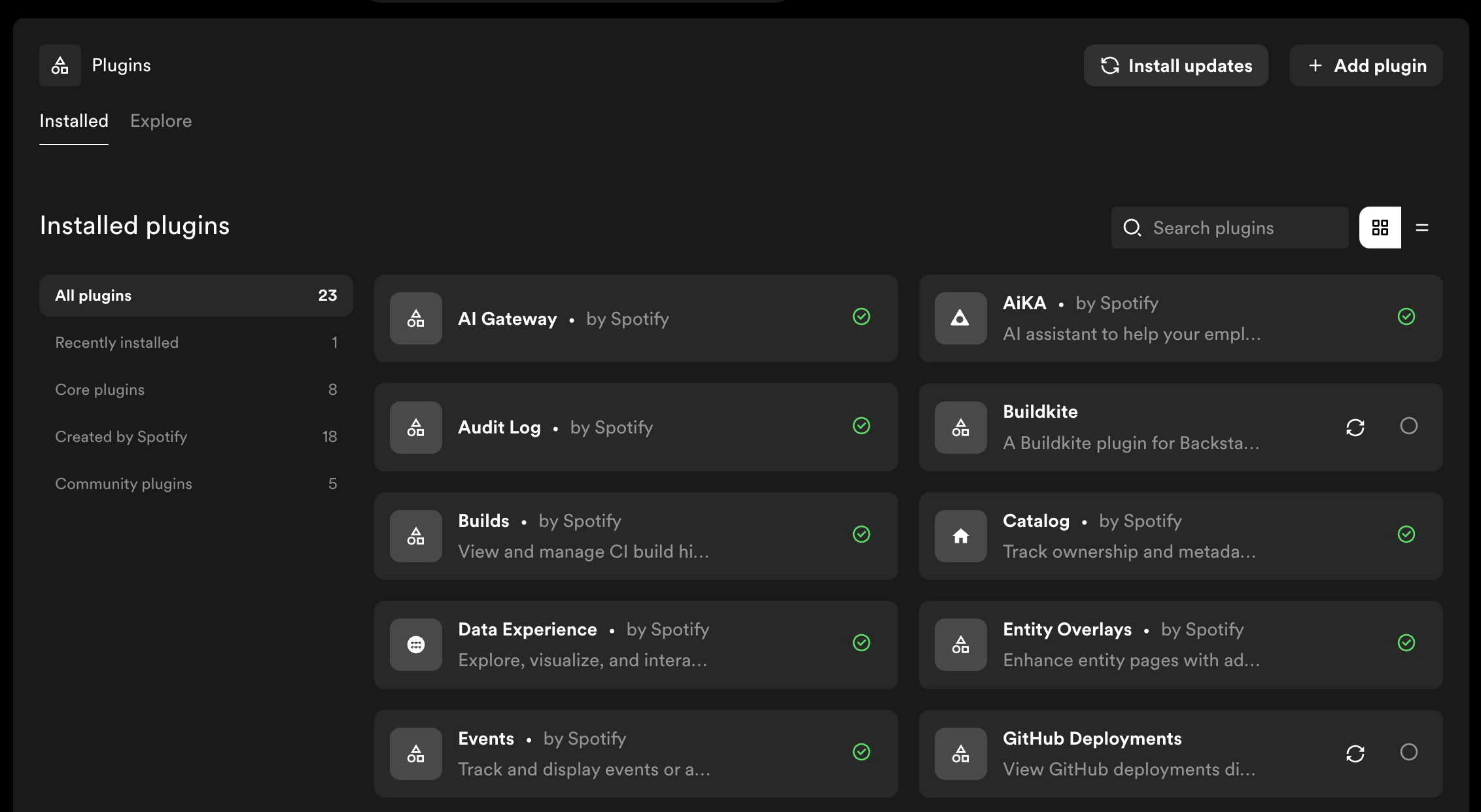
Portal's **Plugin Settings** page is the central hub for installing, updating, and uninstalling plugins. All plugin operations are performed through a guided dialog that walks you through each step.
To access Plugin Settings, navigate to **Admin → Plugin Settings**.
 ## Plugin Operations
* [Installing a Plugin](./installing-plugins) — add new plugins to your Portal instance
* [Updating a Plugin](./updating-plugins) — update installed plugins to newer versions
* [Uninstalling a Plugin](./uninstalling-plugins) — remove plugins you no longer need
## Further Reading
* [Build Progress](./build-progress) — understand the build stages and how to handle failures
* [Plugin Versioning](./plugin-versioning) — how Portal handles semantic versioning and update detection
## Plugin Operations
* [Installing a Plugin](./installing-plugins) — add new plugins to your Portal instance
* [Updating a Plugin](./updating-plugins) — update installed plugins to newer versions
* [Uninstalling a Plugin](./uninstalling-plugins) — remove plugins you no longer need
## Further Reading
* [Build Progress](./build-progress) — understand the build stages and how to handle failures
* [Plugin Versioning](./plugin-versioning) — how Portal handles semantic versioning and update detection