> ## Documentation Index
> Fetch the complete documentation index at: https://backstage.spotify.com/docs/llms.txt
> Use this file to discover all available pages before exploring further.
# Ingesting Entities into your Catalog from GitHub
> Configure GitHub Discovery in Portal to automatically find and ingest catalog entities from your GitHub organization repositories.
In order to set up GitHub discovery, you will first need to ensure you have configured a GitHub integration using either a GitHub App or Personal Access Token. You will also need admin access to your Portal instance. Once you have confirmed both of these things, you can follow these steps to configure the provider.
1. In the sidebar, click **Catalog Settings** and select **GitHub Discovery** from the list of providers
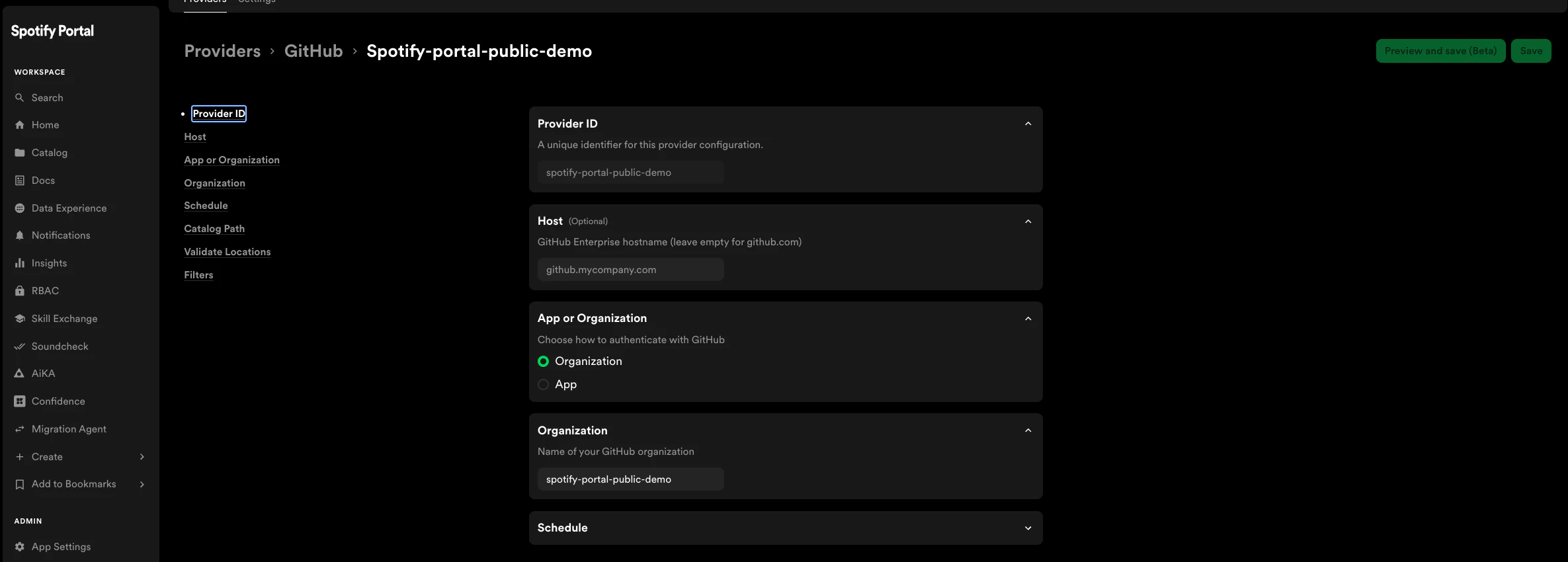
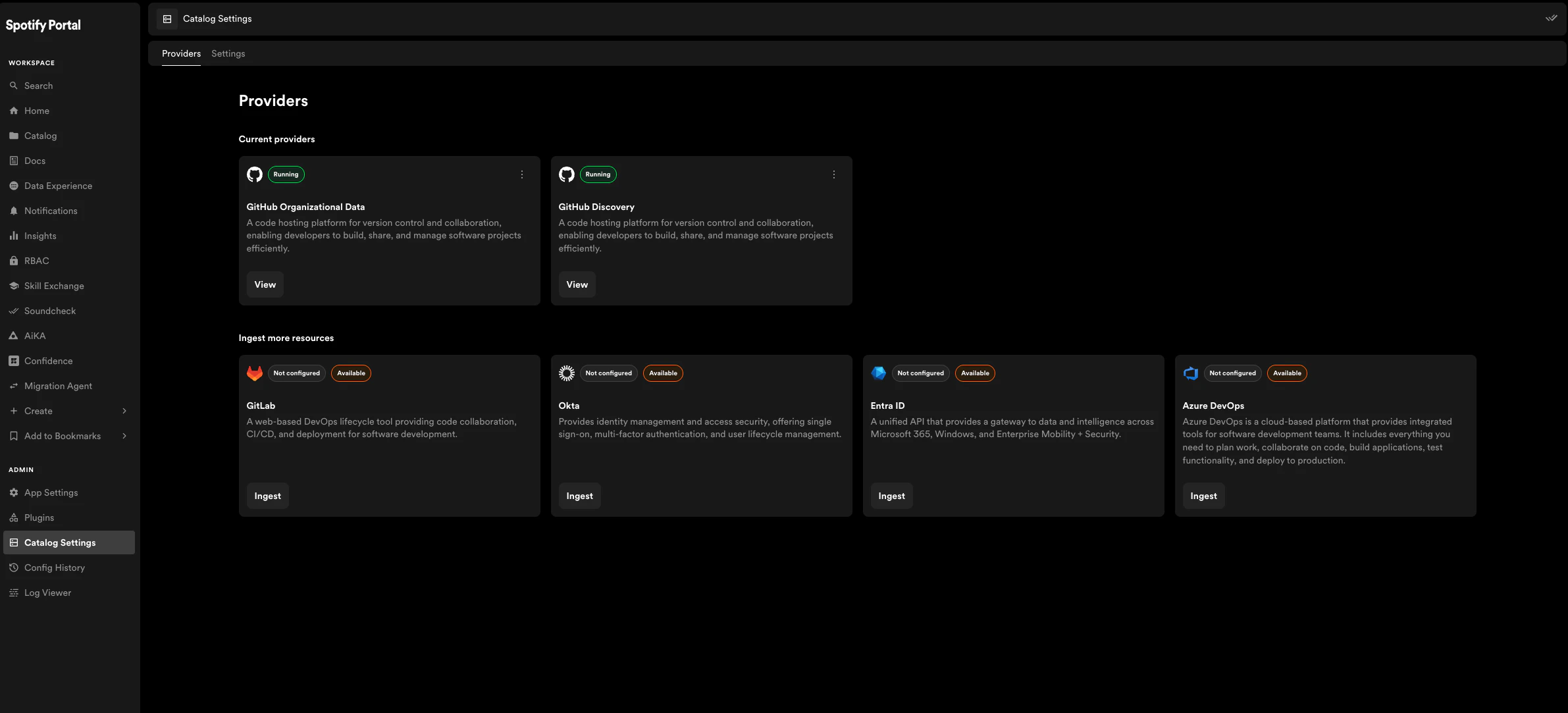 2. Fill out at least the following required fields
* `organization`: The name of your GitHub organization
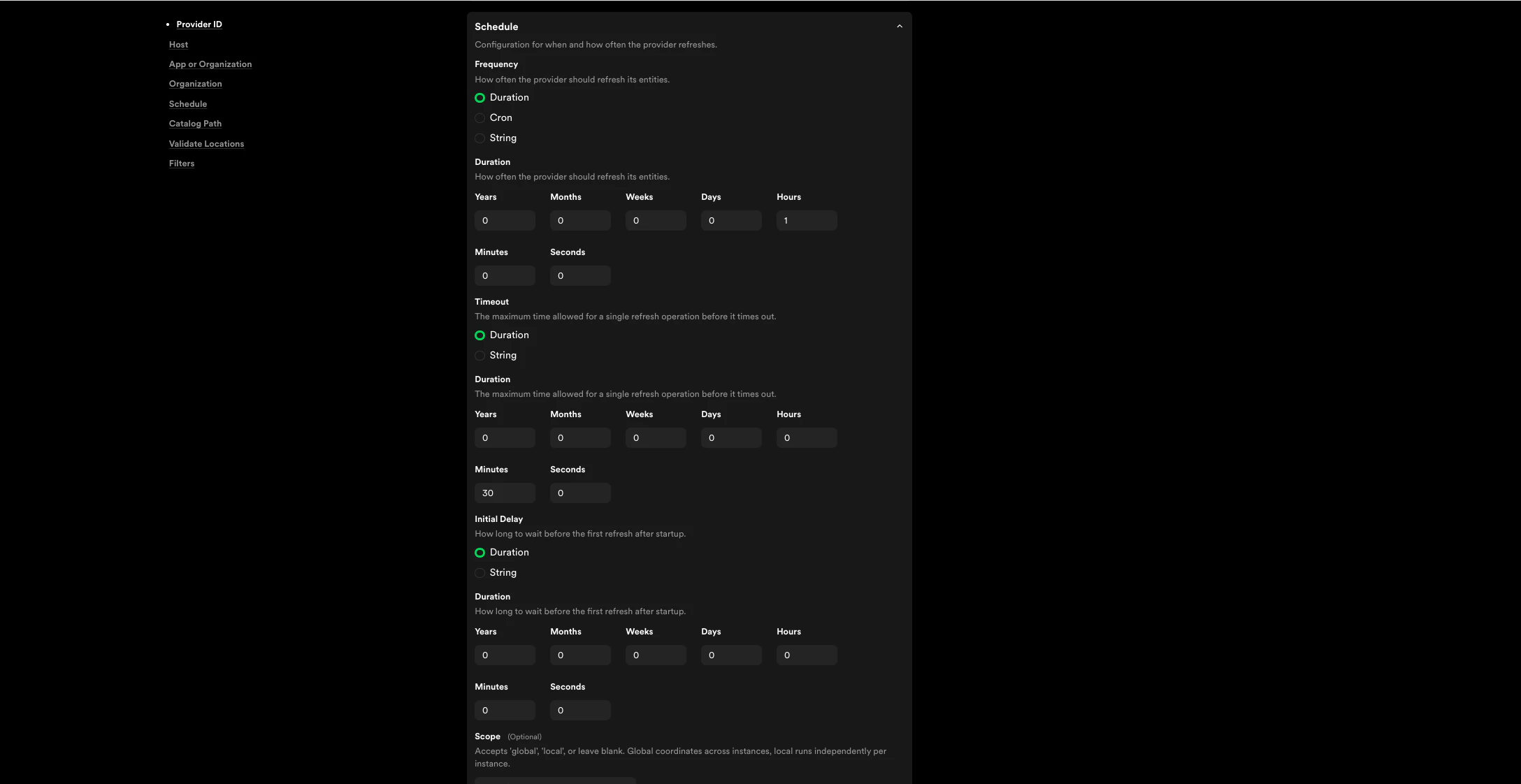
* `schedule`
* `frequency`: How often the provider should run. If you're not sure what to set this to, a default value of 3 hours is suggested
* `timeout`: The maximum amount of time the operation should take before timing out. If you're not sure what to set this to, a default value of 1 hour is suggested
2. Fill out at least the following required fields
* `organization`: The name of your GitHub organization
* `schedule`
* `frequency`: How often the provider should run. If you're not sure what to set this to, a default value of 3 hours is suggested
* `timeout`: The maximum amount of time the operation should take before timing out. If you're not sure what to set this to, a default value of 1 hour is suggested
 3. Click **Save** in the top right of the page and wait until the page has reloaded before navigating away