> ## Documentation Index
> Fetch the complete documentation index at: https://backstage.spotify.com/docs/llms.txt
> Use this file to discover all available pages before exploring further.
# Software Catalog Overview
> Track ownership and metadata for all software in your ecosystem — services, libraries, data pipelines, and more — with Portal-managed or YAML-managed ingestion.
## What is a Software Catalog?
The Portal Software Catalog is a centralized system that tracks ownership and metadata for all the software in your ecosystem — services, websites, libraries, data pipelines, datasets, and more. It's available at `/catalog` in your Portal instance.
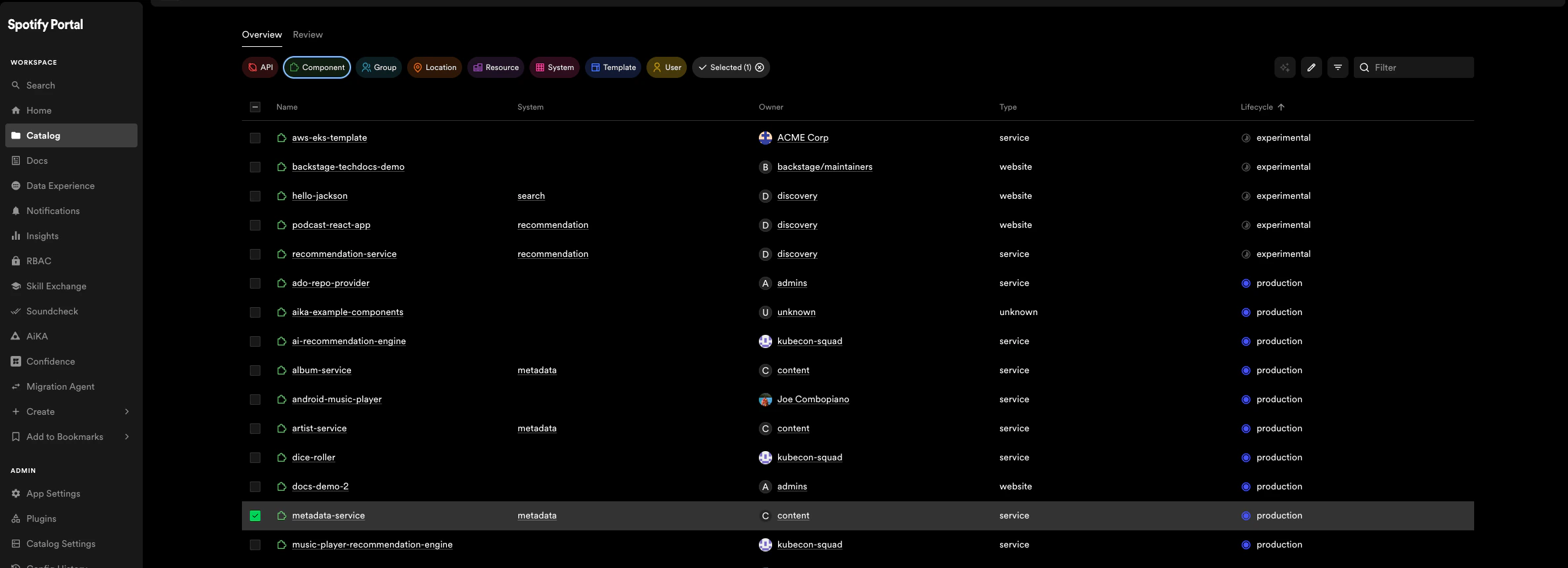 It enables two main use-cases:
1. Helping teams manage and maintain the software they own. Teams get a uniform view of all their software: services, libraries, websites, ML models, and more.
2. Making all the software in your company, and who owns it, discoverable. No more orphan software hiding in the dark corners of your software ecosystem.
## Adding components to the catalog
When ingesting components, you choose how their metadata will be managed going forward:
It enables two main use-cases:
1. Helping teams manage and maintain the software they own. Teams get a uniform view of all their software: services, libraries, websites, ML models, and more.
2. Making all the software in your company, and who owns it, discoverable. No more orphan software hiding in the dark corners of your software ecosystem.
## Adding components to the catalog
When ingesting components, you choose how their metadata will be managed going forward:
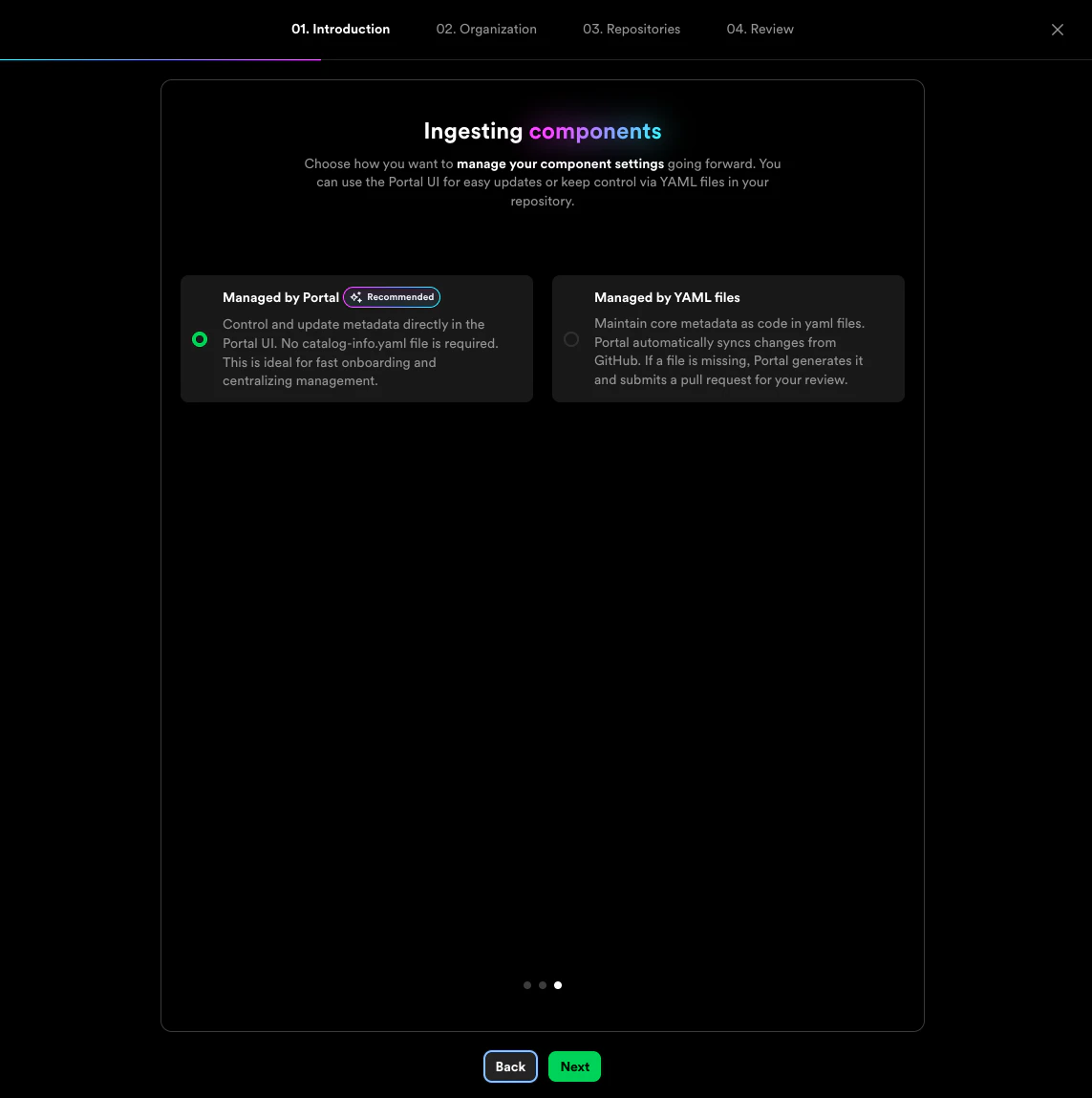 * **[Managed by Portal](../catalog-builder/index#managed-by-portal)** *(Recommended)* — Control and update metadata directly in the Portal UI. No `catalog-info.yaml` file is required. Ideal for fast onboarding and centralizing management.
* **[Managed by YAML files](../catalog-builder/index#managed-by-yaml)** — Maintain core metadata as code in YAML files stored in your repositories. Portal automatically syncs changes from GitHub.
For a step-by-step walkthrough of bulk catalog ingestion, see the [Bulk catalog ingestion](../catalog-builder) documentation.
## Manually register a component
You can register an individual component at `/catalog-import`. Enter either:
* A link to an existing `catalog-info.yaml` entity file in your source control
* A link to a repository (GitHub only) — Portal will discover all `catalog-info.yaml` files, or prepare a pull request to create one if none are found
* **[Managed by Portal](../catalog-builder/index#managed-by-portal)** *(Recommended)* — Control and update metadata directly in the Portal UI. No `catalog-info.yaml` file is required. Ideal for fast onboarding and centralizing management.
* **[Managed by YAML files](../catalog-builder/index#managed-by-yaml)** — Maintain core metadata as code in YAML files stored in your repositories. Portal automatically syncs changes from GitHub.
For a step-by-step walkthrough of bulk catalog ingestion, see the [Bulk catalog ingestion](../catalog-builder) documentation.
## Manually register a component
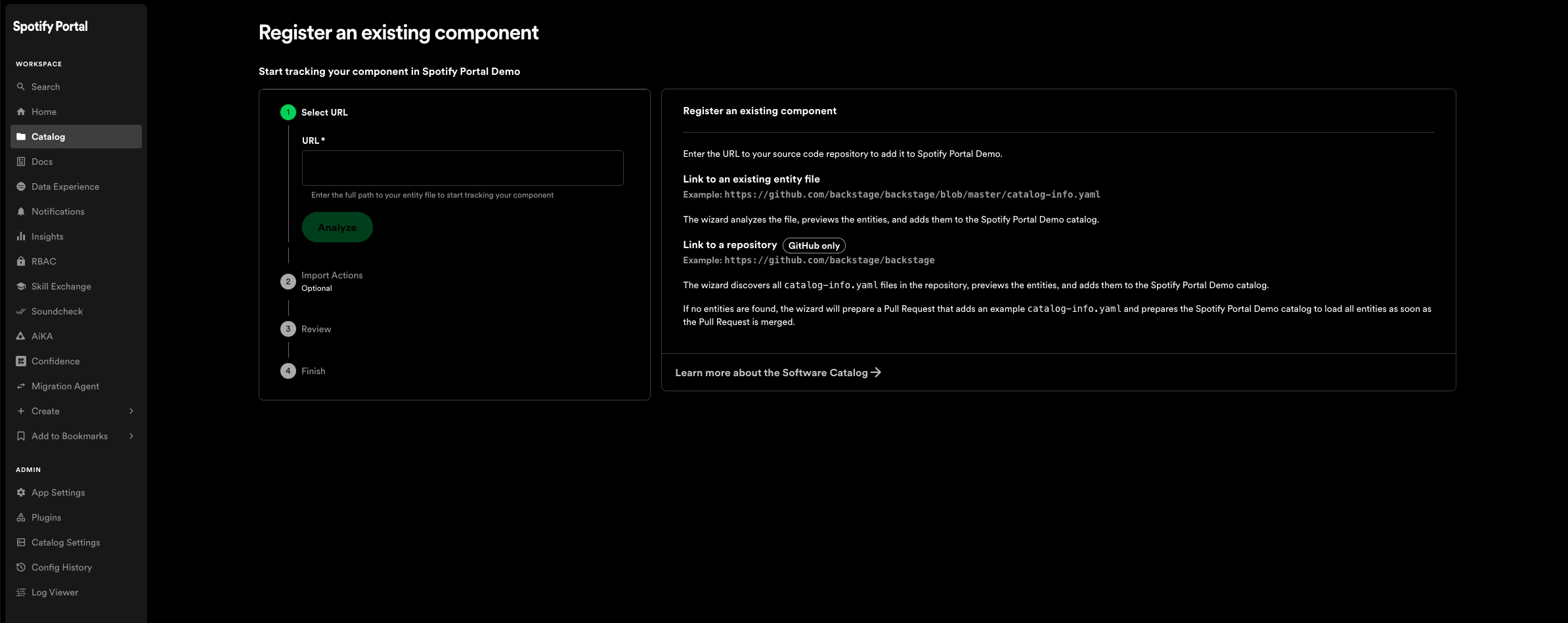
You can register an individual component at `/catalog-import`. Enter either:
* A link to an existing `catalog-info.yaml` entity file in your source control
* A link to a repository (GitHub only) — Portal will discover all `catalog-info.yaml` files, or prepare a pull request to create one if none are found
 ## Static catalog configuration
In addition to manually registering components, you can register components through static configuration. Add component locations via `/admin/plugin-settings/plugin/catalog` under **Locations**. For example:
```
Type: url
Target: https://github.com/backstage/backstage/blob/master/packages/catalog-model/examples/components/artist-lookup-component.yaml
```
## Creating new components through Portal
You can create new components directly from Portal using software templates. See [Getting Started with the Scaffolder](../../core-features-and-plugins/scaffolder/getting-started) for more details.
## Finding software in the catalog
By default the software catalog shows components owned by the team of the logged-in user. Switch to *All* to see every component across your company's software ecosystem. Inline *search* and *column filtering* make it easy to navigate large sets of components.
## Bookmarks
You can bookmark any page with one click. Your bookmarked pages live right on your homepage for instant access.
## Static catalog configuration
In addition to manually registering components, you can register components through static configuration. Add component locations via `/admin/plugin-settings/plugin/catalog` under **Locations**. For example:
```
Type: url
Target: https://github.com/backstage/backstage/blob/master/packages/catalog-model/examples/components/artist-lookup-component.yaml
```
## Creating new components through Portal
You can create new components directly from Portal using software templates. See [Getting Started with the Scaffolder](../../core-features-and-plugins/scaffolder/getting-started) for more details.
## Finding software in the catalog
By default the software catalog shows components owned by the team of the logged-in user. Switch to *All* to see every component across your company's software ecosystem. Inline *search* and *column filtering* make it easy to navigate large sets of components.
## Bookmarks
You can bookmark any page with one click. Your bookmarked pages live right on your homepage for instant access.