> ## Documentation Index
> Fetch the complete documentation index at: https://backstage.spotify.com/docs/llms.txt
> Use this file to discover all available pages before exploring further.
# Entity Card
> Configure the Soundcheck Entity Card to display track badge levels and technical health summaries on a Backstage entity overview page.
The Soundcheck Entity Card is an element of the Soundcheck plugin that provides a quick view
of an entity's technical health as defined by the Tracks that apply to the entity. The
Entity Card is found on the entity's overview page in Backstage:
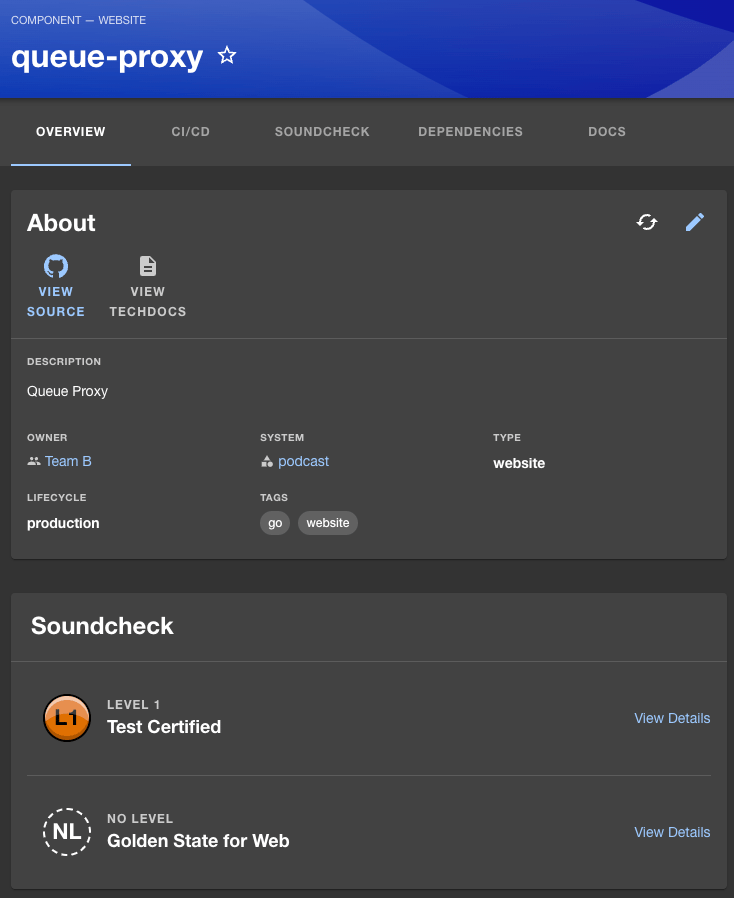 In the sample image above, the Soundcheck Entity Card shows the sample 'Queue-Proxy' entity's badge
levels for the 'Golden State for Web' track and the 'Test Certified' track. Clicking on a Track's
'View Details' link will take you to the entity's Soundcheck tab with the corresponding
track tab selected:
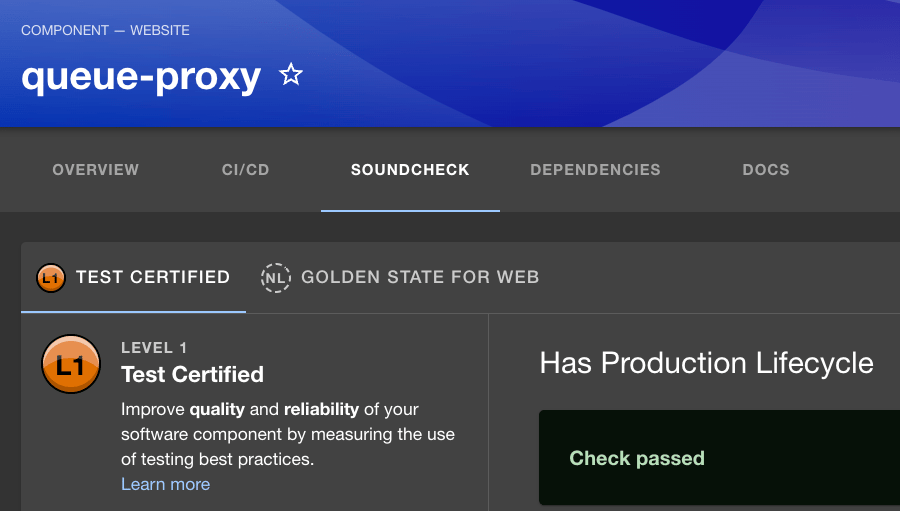
In the sample image above, the Soundcheck Entity Card shows the sample 'Queue-Proxy' entity's badge
levels for the 'Golden State for Web' track and the 'Test Certified' track. Clicking on a Track's
'View Details' link will take you to the entity's Soundcheck tab with the corresponding
track tab selected:
 Note: The Soundcheck Tab must be setup for the Soundcheck Entity Card to be displayed.
For more information see the Soundcheck
[Entity Tab](./soundcheck-entity-tab)
section of this guide.
Note: The Soundcheck Tab must be setup for the Soundcheck Entity Card to be displayed.
For more information see the Soundcheck
[Entity Tab](./soundcheck-entity-tab)
section of this guide.