> ## Documentation Index
> Fetch the complete documentation index at: https://backstage.spotify.com/docs/llms.txt
> Use this file to discover all available pages before exploring further.
# Track Insights Page Overview
> Analyze entity certification levels and check pass rates across a specific track, with historical trends and level-by-level breakdowns.
The Track Insights page offers a comprehensive view of the health of various entities associated with a specific track.
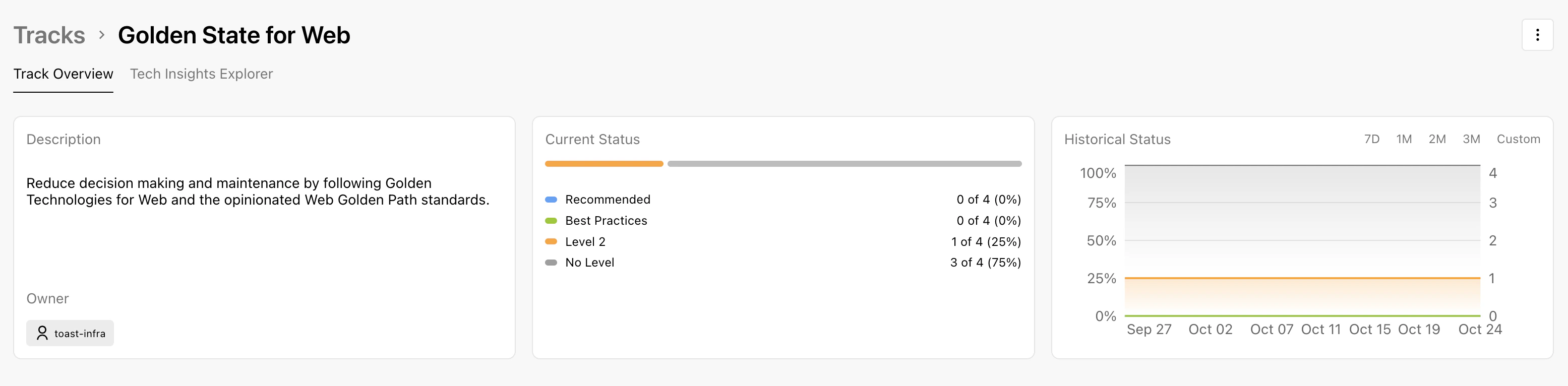 If you have the necessary permissions, actions such as **edit** will be available by clicking on the drop-down menu in the top left.
## Filter Bar
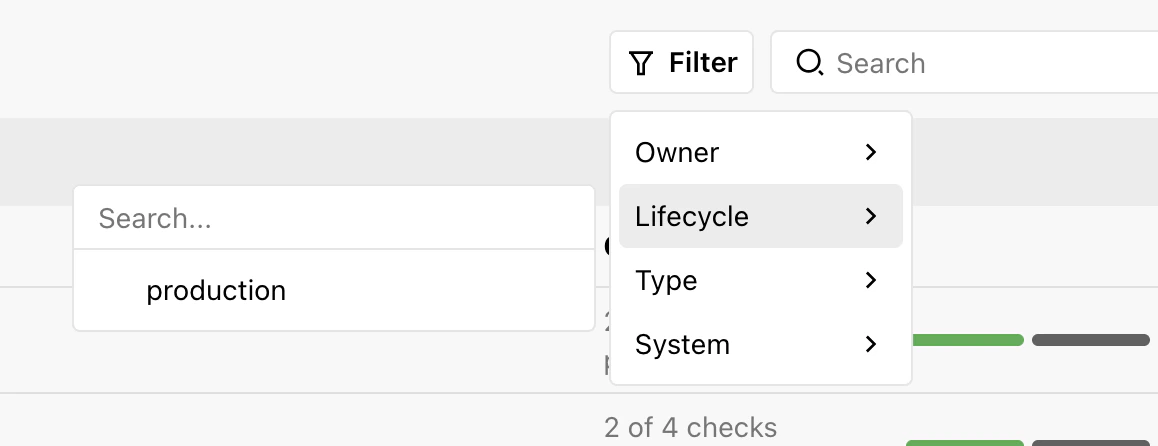
The filter bar is designed to help you refine the displayed data:
If you have the necessary permissions, actions such as **edit** will be available by clicking on the drop-down menu in the top left.
## Filter Bar
The filter bar is designed to help you refine the displayed data:
 ## Current Status
The current status card displays metrics regarding entity certification percentages:
* **Certification Levels:** Shows the percentage of entities certified at each level, ensuring they meet all required checks up to and including that level.
* **Historical Status:** View historical certification percentages to track changes and trends.
## Checks by Level
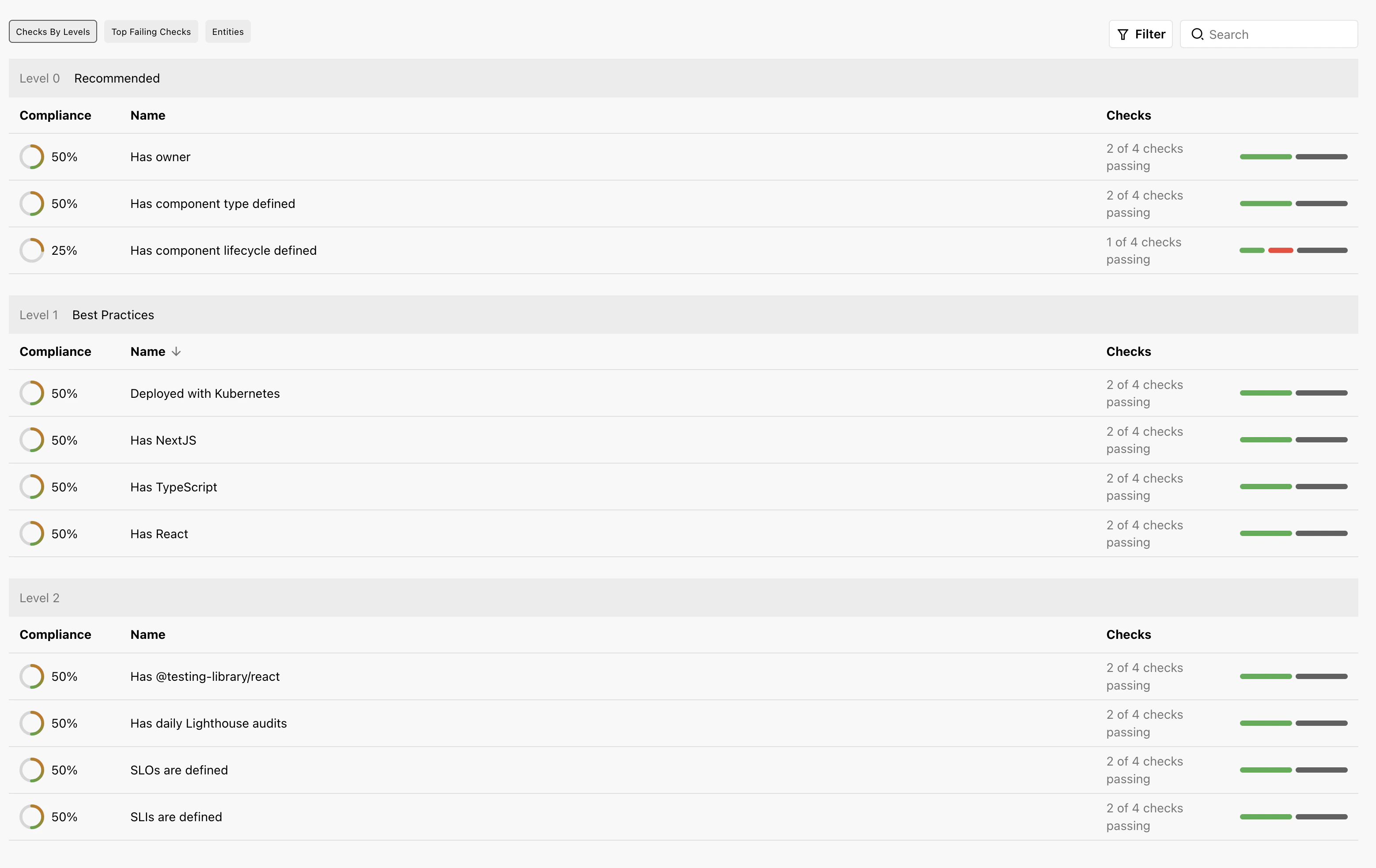
This tab provides a detailed breakdown of pass rates for all checks within the track organized by level.
## Current Status
The current status card displays metrics regarding entity certification percentages:
* **Certification Levels:** Shows the percentage of entities certified at each level, ensuring they meet all required checks up to and including that level.
* **Historical Status:** View historical certification percentages to track changes and trends.
## Checks by Level
This tab provides a detailed breakdown of pass rates for all checks within the track organized by level.
 ## Entities Tab
A table listing all entities associated with the track:
* **Certification Status:** Indicates at which level each entity is certified.
* **Check Pass Rate:** Shows the percentage of checks each entity passes across the entire track.
## Entities Tab
A table listing all entities associated with the track:
* **Certification Status:** Indicates at which level each entity is certified.
* **Check Pass Rate:** Shows the percentage of checks each entity passes across the entire track.
 \\
## Tips for Navigating the Track Insights Page
* Utilize the filter bar effectively to focus on entities of interest.
* Use the historical data features to identify trends or areas of improvement over time.
\\
## Tips for Navigating the Track Insights Page
* Utilize the filter bar effectively to focus on entities of interest.
* Use the historical data features to identify trends or areas of improvement over time.