> ## Documentation Index
> Fetch the complete documentation index at: https://backstage.spotify.com/docs/llms.txt
> Use this file to discover all available pages before exploring further.
# Manual Checks
> Create checks that require human input to set pass or fail state, rather than being automatically executed by Soundcheck.
Soundcheck allows users to create two types of checks: default and manual. Default checks are
automatically executed by the plugin, while manual checks must have their state set by the user. This
section will cover manual checks in more detail.
## Creating a Manual Check
Manual checks are created in the same way as default checks, but with the `type` field set to `manual`
in the UI:
 Manual checks are simpler than default checks, and their configuration options reflect
this. Manual checks' rules, scheduling, and execution are all disabled:
Manual checks are simpler than default checks, and their configuration options reflect
this. Manual checks' rules, scheduling, and execution are all disabled:
 ## Setting the State of a Manual Check
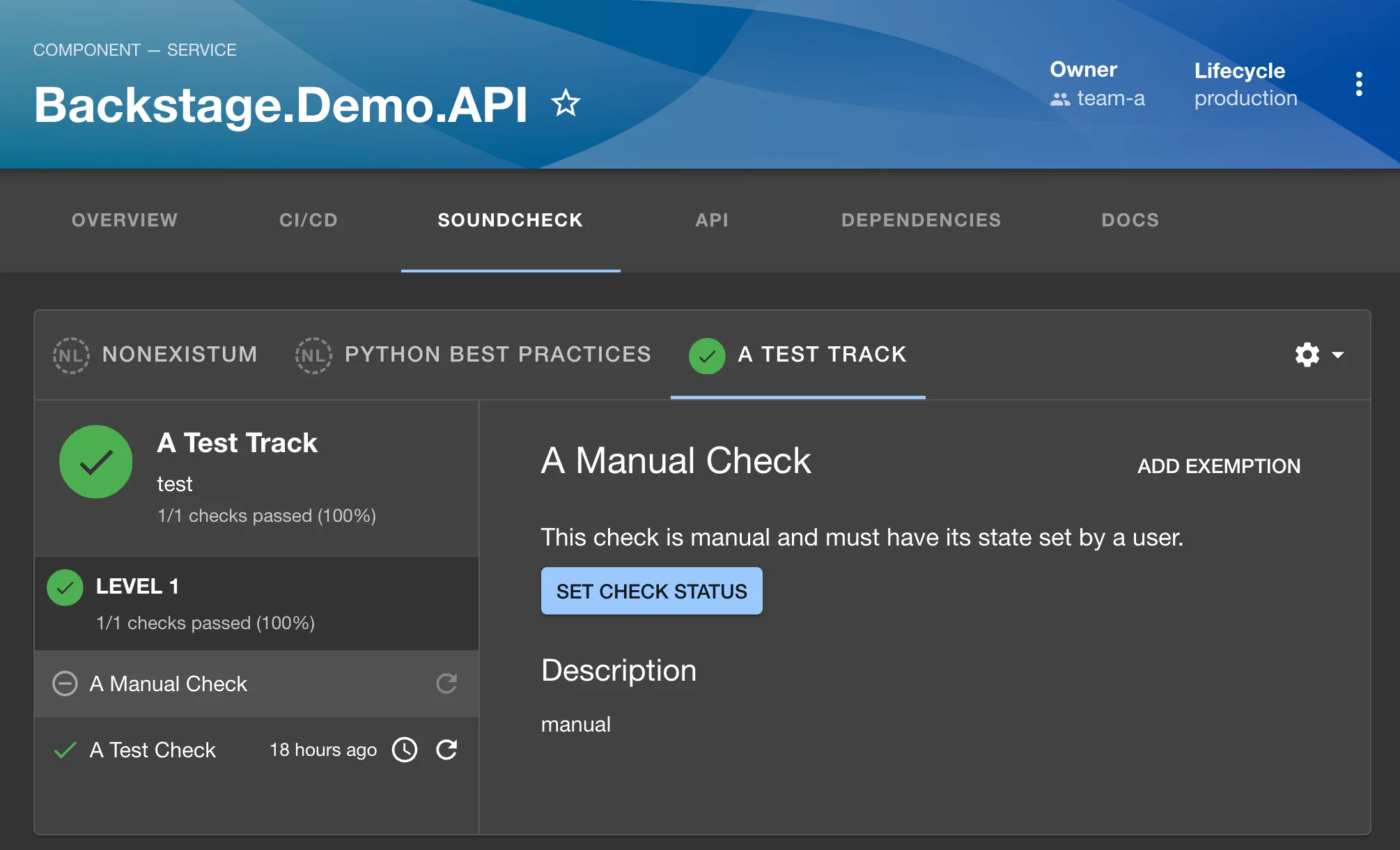
Once created, the state of a manual check can be set in the UI by navigating to an entity's
Soundcheck tab and selecting a track that contains the manual check. Clicking on the check will show
details in the details pane on the right side of the page. The state of the check can be set by
clicking on the `Set Check Status` button:
## Setting the State of a Manual Check
Once created, the state of a manual check can be set in the UI by navigating to an entity's
Soundcheck tab and selecting a track that contains the manual check. Clicking on the check will show
details in the details pane on the right side of the page. The state of the check can be set by
clicking on the `Set Check Status` button:
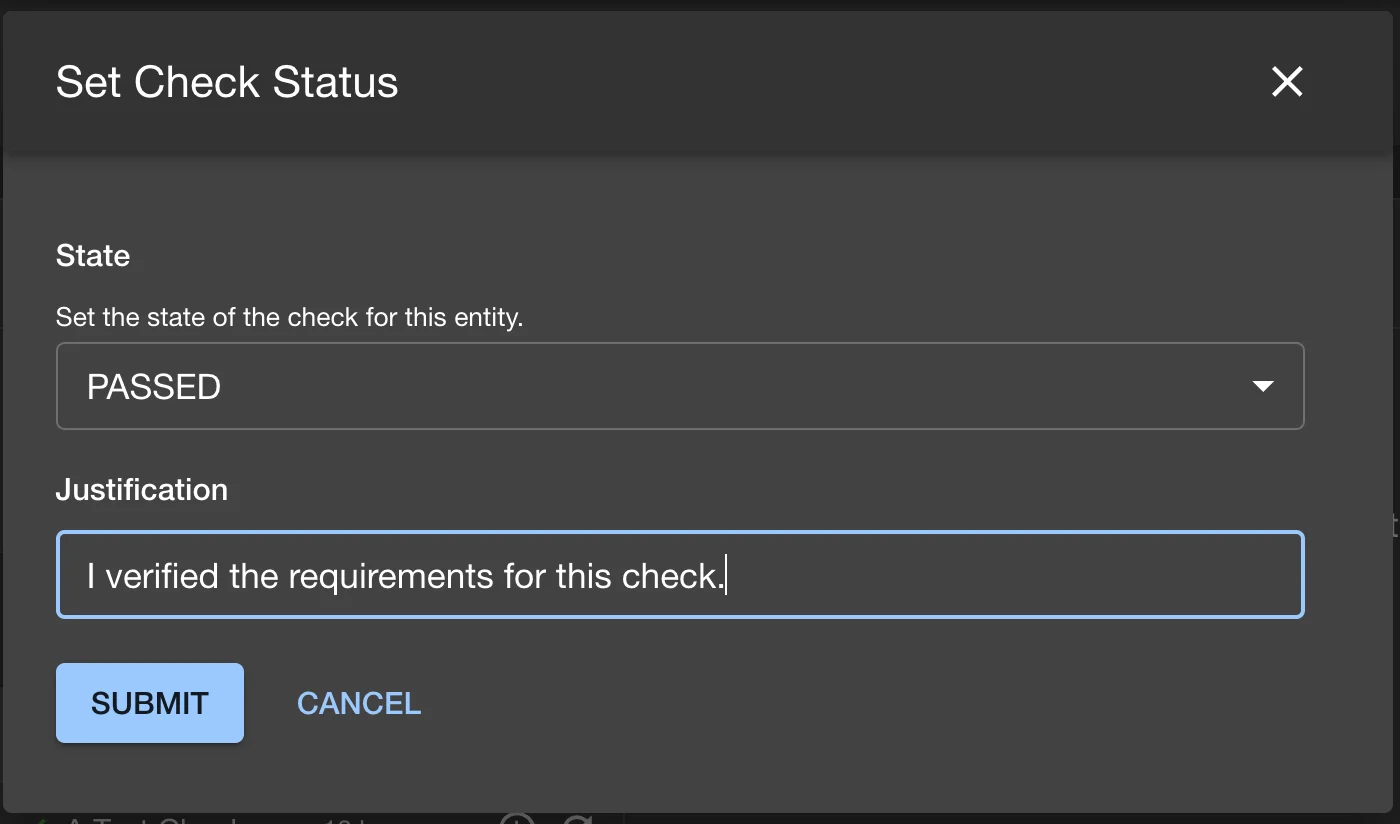
 Clicking the button will open a pop-up to set the state of the check as well as provide a justification
for the state change. The justification is required to set the state of the check:
Clicking the button will open a pop-up to set the state of the check as well as provide a justification
for the state change. The justification is required to set the state of the check:
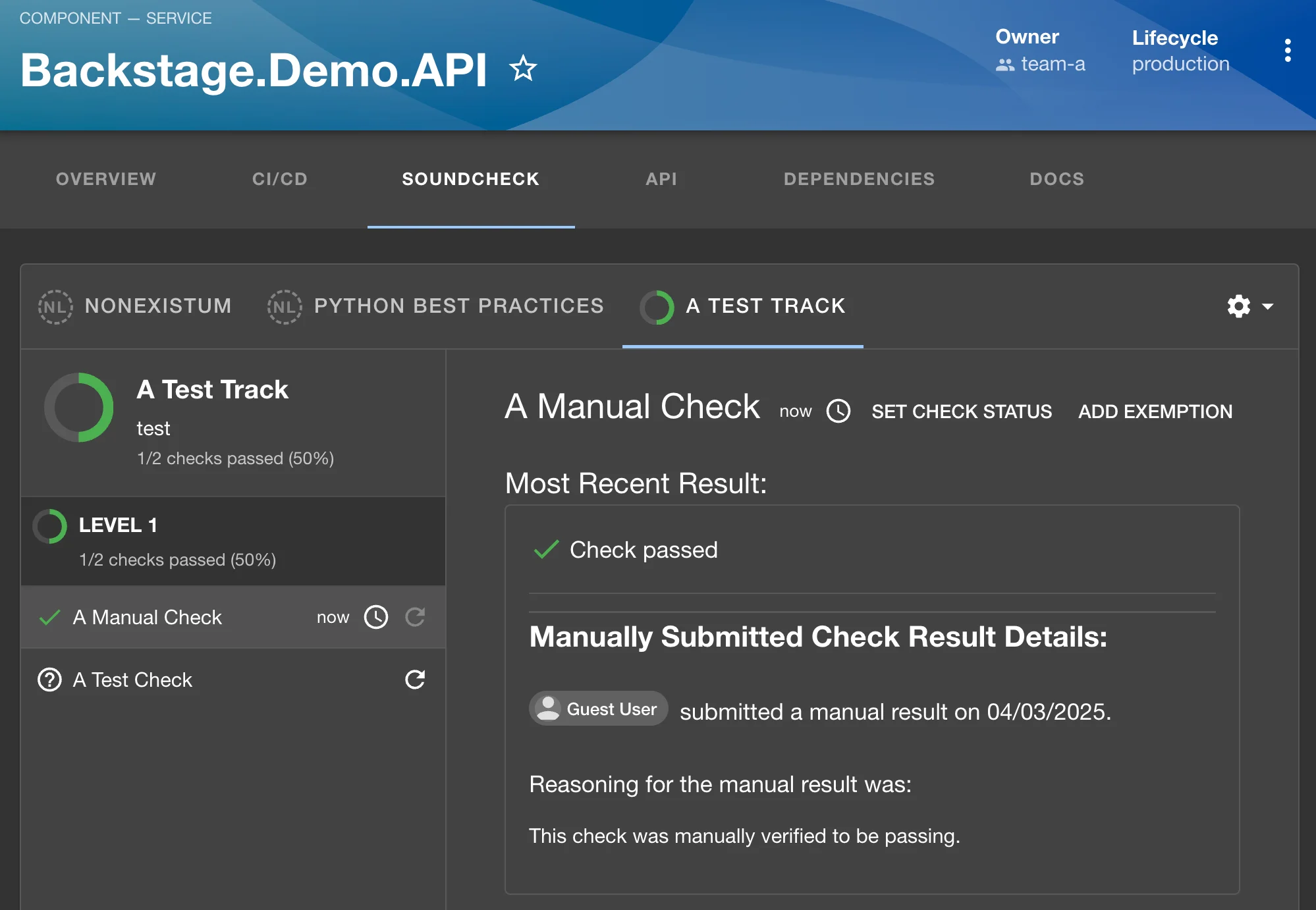
 Below, the state was set to 'passed', and the check details section now shows the state as such
along with the provided justification. Notice that the 'Set Check Status' button has moved to the
top-right corner of the details pane, and can be used to update the status again if needed:
Below, the state was set to 'passed', and the check details section now shows the state as such
along with the provided justification. Notice that the 'Set Check Status' button has moved to the
top-right corner of the details pane, and can be used to update the status again if needed:
 ## Auditing Manual Checks
Any time the state of a manual check is changed both the change and the justification are recorded by
Soundcheck for auditing purposes. The most recent state, justification, and the user that set the
state are displayed in the check's details pane.
## Permission to set Manual Checks
Manual checks added the 'soundcheck.check.manual.update' permission to the plugin. This permission
is required to set the state of any/all manual checks. By default, this permission is granted by
RBAC unless a policy has been set to deny it.
## Auditing Manual Checks
Any time the state of a manual check is changed both the change and the justification are recorded by
Soundcheck for auditing purposes. The most recent state, justification, and the user that set the
state are displayed in the check's details pane.
## Permission to set Manual Checks
Manual checks added the 'soundcheck.check.manual.update' permission to the plugin. This permission
is required to set the state of any/all manual checks. By default, this permission is granted by
RBAC unless a policy has been set to deny it.