> ## Documentation Index
> Fetch the complete documentation index at: https://backstage.spotify.com/docs/llms.txt
> Use this file to discover all available pages before exploring further.
# Check Insights Page Overview
> View entity health metrics for a specific check, including current and historical pass/fail status, filtering, and state distribution breakdowns.
The Check Insights page offers a comprehensive view of the health of entities associated with a specific check.
It provides information on all check results within Soundcheck for any entity that has result for a particular check.
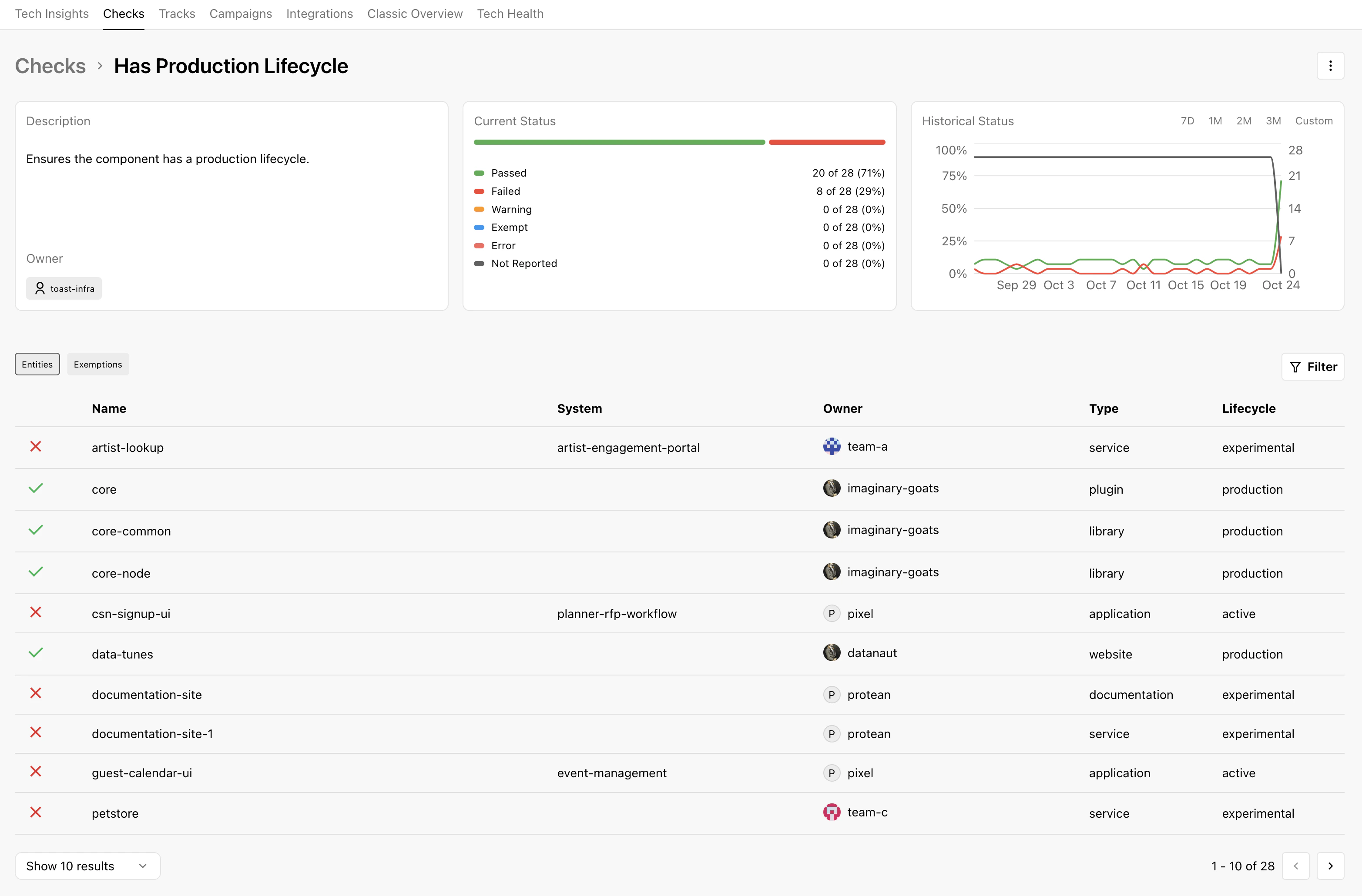 If you have the necessary permissions, actions such as **edit** will be available by clicking on the drop-down menu in the top left.
## Filter Bar
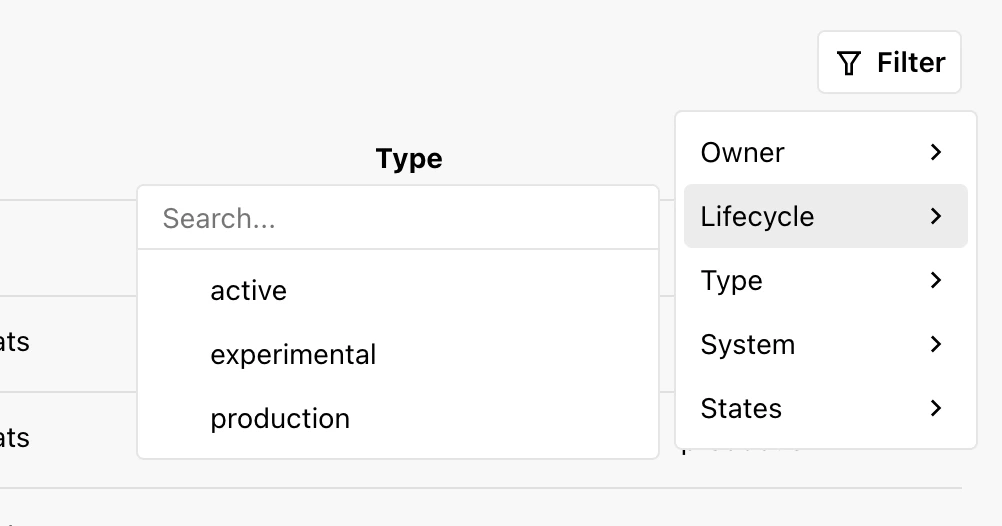
The filter bar is designed to help you refine the displayed data:
If you have the necessary permissions, actions such as **edit** will be available by clicking on the drop-down menu in the top left.
## Filter Bar
The filter bar is designed to help you refine the displayed data:
 ## Current Status
The Current Status card displays current metrics related to the overall health of the entities associated with the check.
It displays all the states matching the filter criteria, the number of entities in each state, and the percentage of entities in each state.
## Historical Status
The Historical Status card displays historical metrics related to the overall health of the entities associated with the check.
It displays all the states matching the filter criteria, the number of entities in each state, and the percentage of entities in each state over time.
## Exemptions
Clicking the exemptions tab will show a list of check exemptions.
## Current Status
The Current Status card displays current metrics related to the overall health of the entities associated with the check.
It displays all the states matching the filter criteria, the number of entities in each state, and the percentage of entities in each state.
## Historical Status
The Historical Status card displays historical metrics related to the overall health of the entities associated with the check.
It displays all the states matching the filter criteria, the number of entities in each state, and the percentage of entities in each state over time.
## Exemptions
Clicking the exemptions tab will show a list of check exemptions.
 ## Tips for Navigating the Check Insights Page
* Utilize the filter bar effectively to focus on entities of interest.
* Use the historical data features to identify trends or areas of improvement over time.
## Tips for Navigating the Check Insights Page
* Utilize the filter bar effectively to focus on entities of interest.
* Use the historical data features to identify trends or areas of improvement over time.